
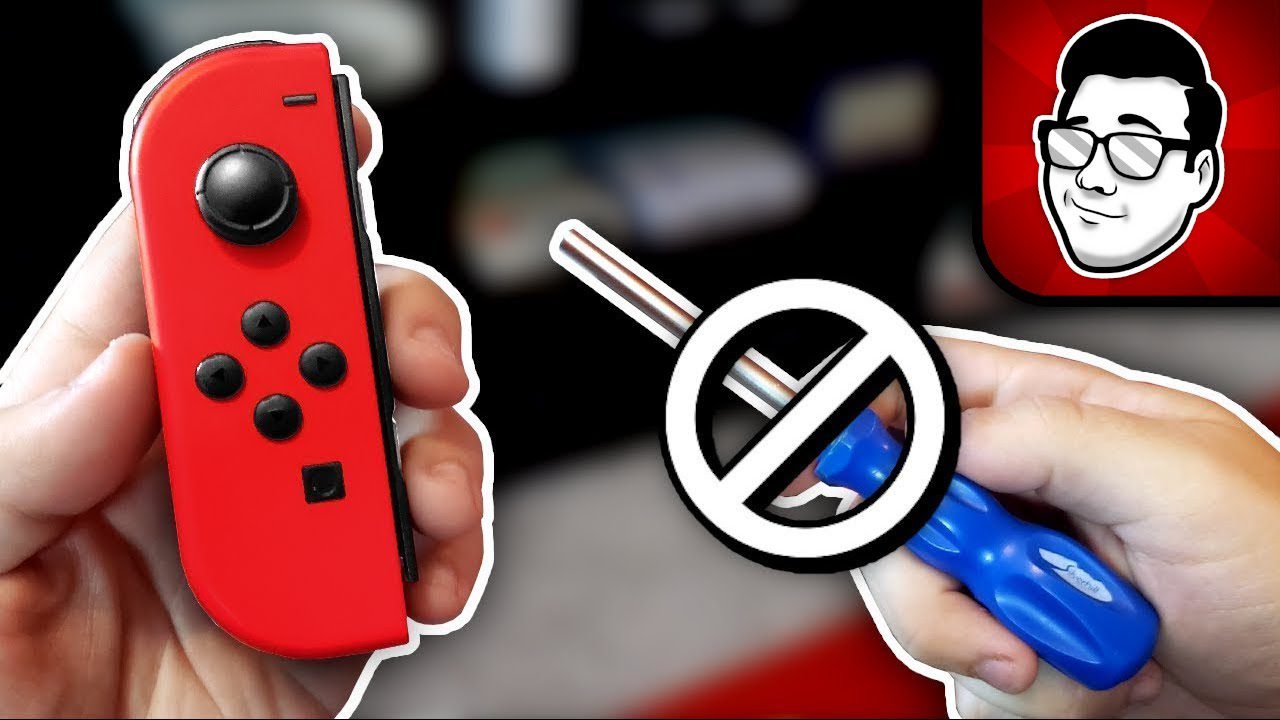
Is your Nintendo Switch character moving on its own? Joy-Con drift is the most common Switch problem, affecting millions of gamers worldwide. Your controller registers movement even when you’re not touching the analog stick—ruining gameplay and competitive matches. Here’s everything you need to know about Nintendo Switch Joy-Con drift repair in Singapore.
What is Joy-Con Drift?
Joy-Con drift occurs when your Nintendo Switch controller’s analog stick registers input without being touched. Your character walks, camera moves, or menu selections scroll automatically—even with your hands completely off the controller.
Common Drift Symptoms:
- Character movement: Link walks forward without input in Zelda
- Camera drift: View slowly rotates in Splatoon or Fortnite
- Menu navigation: Selections scroll up/down automatically
- Aiming problems: Crosshair won’t stay centered in shooters
- Intermittent issues: Drift comes and goes randomly
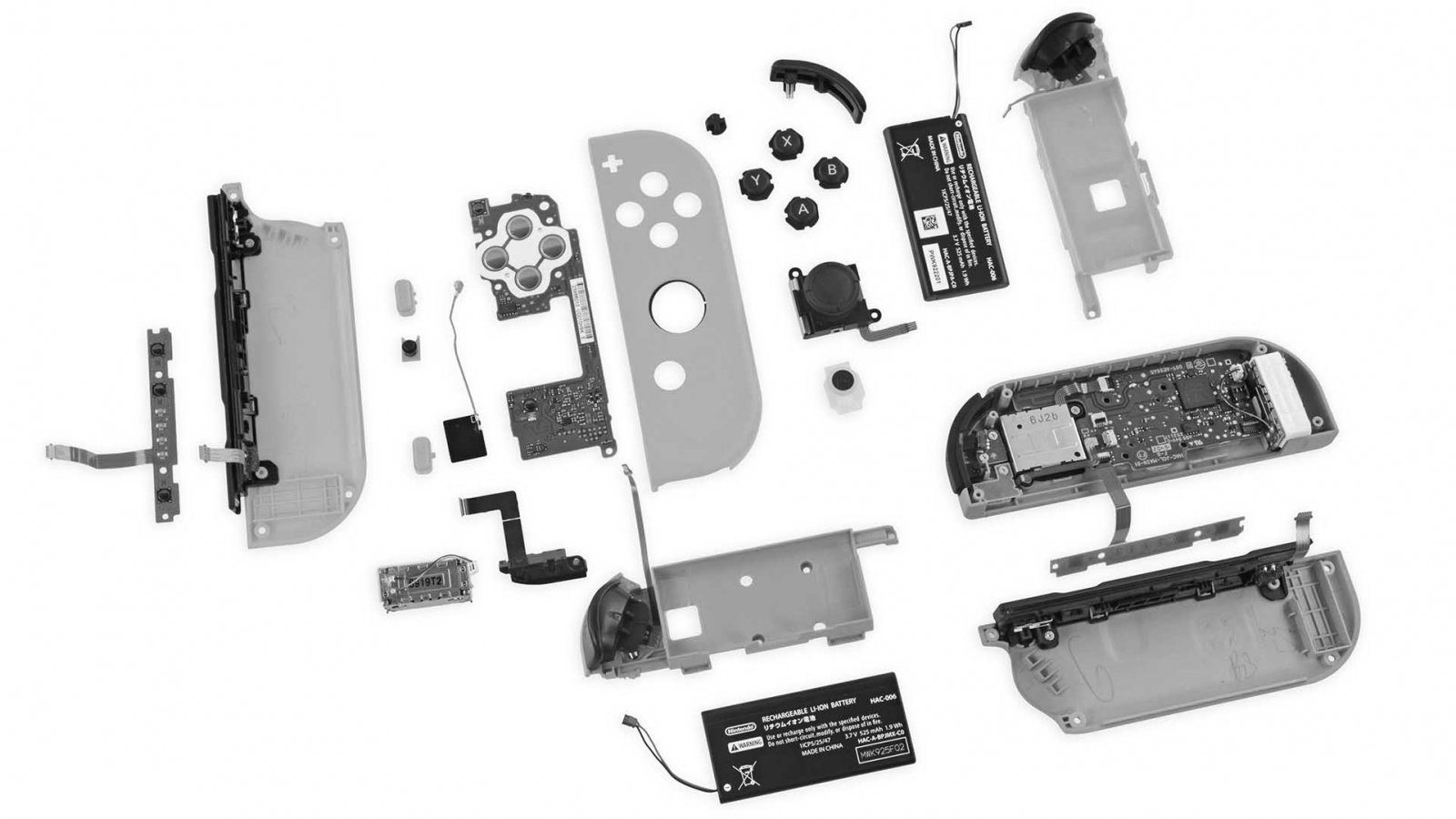
Why Joy-Con Drift Happens: According to iFixit’s teardown analysis, the issue stems from poor analog stick design. The graphite contact pads wear down over time, causing false inputs. Dust and debris accumulation makes it worse.
Important: Nintendo has faced multiple lawsuits over Joy-Con drift, acknowledging it’s a design flaw. If your Switch is under warranty, contact Nintendo first for free repair!
How to Test for Joy-Con Drift
Built-in Switch Calibration Test:
- Go to System Settings on your Switch
- Select Controllers and Sensors
- Choose Calibrate Control Sticks
- Select the affected Joy-Con
- Don’t touch the analog stick
- Watch for movement in the calibration screen
What to look for: If the crosshair moves on its own or the stick position isn’t centered (0,0), you have drift. The test will show exactly how severe the drift is.
In-Game Test: Load any game, go to a flat area, and let go of all controls. If your character moves, camera rotates, or menus scroll without input, that’s drift.
Quick Fixes to Try First (DIY Solutions)
Fix 1: Calibrate Your Joy-Con
Sometimes drift is a calibration issue, not hardware failure.
Steps:
- System Settings → Controllers and Sensors
- Select “Calibrate Control Sticks”
- Follow on-screen instructions
- Rotate the analog stick fully in circles
- Press down on the stick when prompted
- Save calibration
Success rate: 10-15%. Works only for very mild drift or calibration errors.
Fix 2: Clean Under the Analog Stick
Dust and debris are major drift culprits. Cleaning can temporarily fix the issue.
What you need:
- Isopropyl alcohol (70% or higher)
- Cotton swabs or soft cloth
- Compressed air (optional)
Cleaning method:
- Power OFF your Switch completely
- Detach the Joy-Con
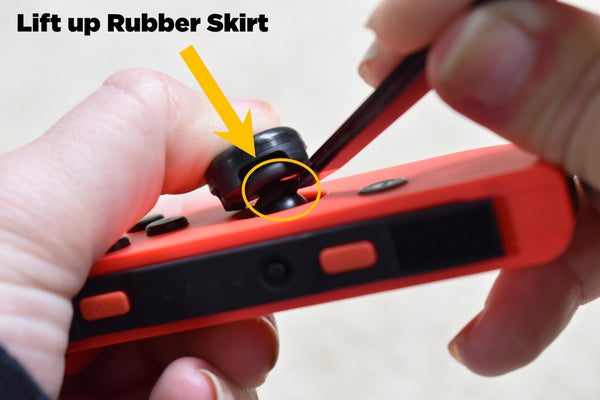
- Lift the rubber flap around the analog stick
- Apply small amount of isopropyl alcohol
- Rotate the stick fully in circles 20-30 times
- Let it dry for 10 minutes
- Reattach and test
Success rate: 30-40% for temporary relief. Needs repeating every 2-4 weeks.
Fix 3: Update Your Joy-Con Firmware
Nintendo occasionally releases firmware updates to improve Joy-Con performance.
Steps:
- Attach Joy-Cons to Switch
- Connect to internet
- System Settings → System → System Update
- Let Switch update fully
- Joy-Con firmware updates automatically with system update
Success rate: 5-10%. Only helps if drift is software-related (rare).
Fix 4: Use Compressed Air
Blow out dust particles lodged under the stick.
Method:
- Detach Joy-Con from Switch
- Hold compressed air can upright (not tilted)
- Lift rubber flap around analog stick
- Short bursts of air under the flap
- Rotate stick while blowing
- Let dry, then test
Success rate: 20-30% temporary relief.
Reality Check: DIY fixes only provide temporary relief for 70-80% of cases. The real solution is replacing the analog stick mechanism—which requires professional repair.
Professional Joy-Con Drift Repair in Singapore
For permanent drift fix, you need analog stick replacement. At BreakFixNow, we specialize in Nintendo Switch repairs including Joy-Con drift fixes.
Repair Process:
- Diagnosis: Free testing to confirm drift (10 minutes)
- Disassembly: Carefully open Joy-Con casing
- Replacement: Remove old analog stick, install new one
- Calibration: Test and calibrate the new stick
- Reassembly: Secure all components properly
- Quality check: Full functionality test before return
Repair Costs in Singapore (2026):
- BreakFixNow: S$30-40 per Joy-Con
- Nintendo Official: S$48-68 (if out of warranty)
- Other repair shops: S$35-55
- DIY kit: S$15-25 (but risky if inexperienced)
Repair Time: 30-60 minutes at BreakFixNow. Same-day service available.
Warranty: 90-day warranty on all Joy-Con repairs. If drift returns within 90 days, we fix it free.
Nintendo’s Free Repair Program (If Eligible)
Following class-action lawsuits, Nintendo offers free Joy-Con drift repair in many countries, including Singapore.
Eligibility:
- Joy-Con has drift issue
- Doesn’t matter if warranty expired
- Doesn’t matter if you bought secondhand
- Physical damage may disqualify
How to request Nintendo repair:
- Visit Nintendo Singapore support
- Create a repair request online
- Ship Joy-Cons to their service center (your cost: S$5-10)
- Wait 2-4 weeks for repair
- Receive repaired Joy-Cons back (free shipping)
Pros: Free repair, official Nintendo parts
Cons: 2-4 weeks without Joy-Cons, shipping costs, no guarantee drift won’t return
Should You Repair or Buy New Joy-Cons?
Repair Costs:
- Professional repair: S$30-40 per Joy-Con
- Both Joy-Cons: S$60-80
- 90-day warranty included
New Joy-Con Costs:
- Official Nintendo Joy-Con set: S$109-129
- Single Joy-Con: S$58-68
- Third-party alternatives: S$40-60 (lower quality)
- No guarantee new ones won’t drift (same design flaw)
Verdict: Repair is more economical. New Joy-Cons use the same flawed design and will likely drift again within 6-18 months. Repairing with quality replacement sticks at BreakFixNow costs 60% less than buying new.
How to Prevent Joy-Con Drift
While drift is mostly a design flaw, these habits reduce risk:
Maintenance Tips:
- Clean regularly: Use isopropyl alcohol + cotton swab monthly
- Avoid eating while gaming: Food particles accelerate wear
- Don’t force the sticks: Gentle movements last longer
- Store properly: Keep Switch in case when not in use
- Reduce handheld play: Use Pro Controller for long sessions
Singapore-Specific Tips:
- High humidity accelerates component wear—use in air-conditioned rooms when possible
- Don’t play outdoors in hot, humid weather
- Store in dry, cool location
- Consider silica gel packets in storage case
Best Alternative: Use a Nintendo Switch Pro Controller for serious gaming. Pro Controllers rarely develop drift thanks to better analog stick design. Learn more about Nintendo console repair services.
Other Common Joy-Con Problems
Joy-Con Not Connecting:
- Desync from Switch
- Bluetooth connectivity issues
- Battery completely dead
- Fix: Re-pair, charge fully, or professional diagnosis
Buttons Not Working:
- Stuck or unresponsive buttons
- Usually from liquid damage or debris
- Requires button replacement: S$25-35
Joy-Con Won’t Charge:
- Battery degradation
- Charging rail issues
- Battery replacement required: S$40-60
Frequently Asked Questions
How long does Joy-Con drift repair take?
At BreakFixNow, Joy-Con drift repair takes 30-60 minutes per controller. Same-day service is available—bring your Joy-Cons in the morning, pick them up the same afternoon.
Can I fix Joy-Con drift permanently?
Yes. Replacing the analog stick mechanism is the only permanent fix. DIY cleaning methods provide temporary relief (days to weeks), but professional stick replacement at BreakFixNow provides 90-day warranty and long-term solution.
Does Nintendo repair Joy-Con drift for free?
Yes, in many cases. Nintendo offers free Joy-Con drift repair even if your warranty expired, following class-action lawsuits. However, it takes 2-4 weeks. BreakFixNow offers same-day repair for S$30-40 if you can’t wait.
Why do Joy-Cons drift so easily?
According to iFixit teardown analysis, Joy-Con analog sticks use cheap graphite contact pads that wear down quickly. It’s a design flaw affecting all Joy-Con models. Dust and debris make it worse, but even careful users experience drift after 6-18 months.
Will new Joy-Cons drift too?
Very likely yes. New Joy-Cons use the same flawed analog stick design. Unless Nintendo redesigns the component, new Joy-Cons will eventually drift. This is why repair (S$30-40) is more economical than replacement (S$109-129).
Can I prevent Joy-Con drift completely?
No, because it’s a hardware design flaw. However, you can delay drift by: cleaning regularly with isopropyl alcohol, avoiding eating while gaming, using gentle stick movements, and switching to Pro Controller for long gaming sessions.
How much does Joy-Con drift repair cost in Singapore?
BreakFixNow charges S$30-40 per Joy-Con for analog stick replacement. Other repair shops charge S$35-55. Nintendo official repair is S$48-68 (if not eligible for free repair). DIY kits cost S$15-25 but require technical skill.
Should I repair both Joy-Cons at once?
Yes, recommended. If one Joy-Con has drift, the other likely will soon (similar usage wear). Repairing both saves a return trip and we offer bundle discounts at BreakFixNow: S$60-70 for both instead of S$30-40 each.
Fix Your Joy-Con Drift Today
WhatsApp: +65 9750 4333
Repair Time: 30-60 minutes | Same-Day Service
Cost: S$30-40 per Joy-Con (Both: S$60-70)
✓ Free Diagnostic • ✓ 90-Day Warranty • ✓ Quality Parts