
Dell XPS Repair
BreakFixNow offers expert repair services for the full Dell XPS range. Our technicians are trained on XPS-specific hardware and carry out screen replacements, battery replacements, thermal servicing, and system diagnostics with fast turnaround times.


About the Dell XPS Series
The Dell XPS is the premium end of Dell’s consumer laptop range — thinner, more powerful, and significantly more expensive to repair than the Inspiron. XPS laptops are popular in Singapore among working professionals, designers, and engineers who need a thin machine with strong CPU performance. The XPS 13 is particularly common, having been sold extensively through Courts and Dell’s direct online store. Because XPS units use precision-engineered unibody chassis and non-standard parts, repairs require more care and often cost more than equivalent work on mainstream laptops.
Dell XPS Models We Repair
XPS 13 (9300, 9310, 9315, 9320)
The most common XPS model we see in Singapore. The 9300 and 9310 use Intel 10th and 11th gen processors with a soldered-RAM design — RAM cannot be upgraded after purchase. The 9315 and 9320 introduced the 12th and 13th gen Intel Core platform with a revised thermal design. The XPS 13 uses a glued-down battery that requires heat gun disassembly; this adds time and cost compared to most other laptop battery replacements.
XPS 15 (9500, 9510, 9520, 9530)
A larger chassis with dedicated NVIDIA GPU options (GTX 1650, RTX 3050, RTX 4060). The XPS 15 is used by video editors and developers who need sustained performance. It has a 6-cell battery with more capacity and better repairability than the XPS 13. The XPS 15 is the most thermally demanding XPS variant and benefits from annual thermal servicing in Singapore’s climate.
XPS 17 (9700, 9710, 9720, 9730)
The largest XPS configuration, intended for heavy workstation-class tasks. The XPS 17 ships with RTX 3060 and RTX 4070 GPU options and a large 97Wh battery. We see fewer of these in Singapore than the 13 or 15, but repairs tend to be more complex due to the larger heatsink assembly and higher component costs.
Common Dell XPS Failure Patterns
OLED and 4K Panel Failure
Many XPS 15 and XPS 17 configurations ship with OLED or 4K InfinityEdge displays. OLED panels are more fragile than standard IPS panels — pressure damage, impact, and even prolonged static images can cause permanent burn-in. Screen replacement on the XPS 15 OLED costs significantly more than on standard FHD configurations due to panel cost and the precision required to remove the InfinityEdge bezel without cracking the display assembly.
Battery Degradation and Swelling (XPS 13)
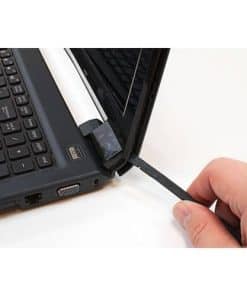
The XPS 13 battery is glued to the chassis using strong adhesive strips. When the battery swells — a common occurrence by the second or third year of daily use in Singapore — the bottom panel bows outward before any other symptom appears. Attempting to pry open a swollen XPS 13 without proper heat gun technique frequently results in cracked bottom panels or damaged flex cables. BreakFixNow technicians use controlled heat disassembly to remove these batteries safely.
Thermal Throttling Under Load
The XPS 13 and XPS 15 have thin chassis that limit heatsink mass and fan size. Under sustained CPU or GPU load, thermal compound dries out faster than on larger laptops. We typically see XPS 13 units that drop from 4.0GHz to 1.2GHz under sustained load due to dried thermal paste — a symptom that users often misidentify as a software or Windows issue. Thermal repasting resolves this in virtually all cases.
USB-C Charging Port Failure
XPS 13 models from 9300 onwards charge exclusively via USB-C Thunderbolt ports. These ports see more mechanical stress than a dedicated barrel jack because users plug and unplug frequently at different angles. Port failure manifests as the laptop only charging from one specific port orientation, or requiring the cable to be held in position. This is a motherboard-level repair requiring port replacement under magnification.
Keyboard Failure on XPS 13 (9310 and Earlier)
Earlier XPS 13 generations used a low-travel keyboard mechanism that is prone to key cap detachment and unresponsive key switches. The keyboard on these models is integrated into the top case assembly, meaning a full top case replacement is often required rather than a keyboard-only swap. This makes XPS 13 keyboard repairs more expensive than equivalent Inspiron or Latitude repairs.
Dell XPS Repair Pricing in Singapore
Screen Replacement
From $150 for standard FHD IPS panels on XPS 13 and XPS 15. OLED and 4K panel replacements cost more due to panel cost and the precision required for InfinityEdge disassembly. Pricing is confirmed after we identify your specific model and panel configuration.
Battery Replacement
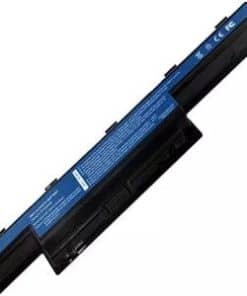
From $80 for XPS 15 and XPS 17 models. The XPS 13’s glued battery adds labour time and cost — pricing is confirmed at diagnosis. We use controlled heat disassembly to avoid chassis damage.
Thermal Servicing (Fan Clean + Repaste)
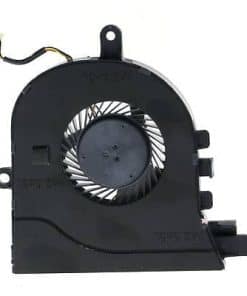
From $80. Strongly recommended annually for XPS 13 units in Singapore conditions, and every 18 months for XPS 15 and XPS 17. Includes heatsink disassembly, compressed air cleaning, and fresh thermal compound application.
Keyboard Replacement
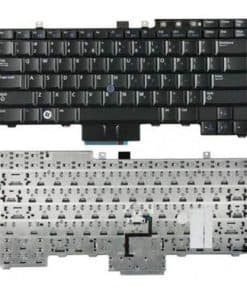
From $120 for models where keyboard-only replacement is possible. XPS 13 9310 and earlier requiring a full top case replacement will be priced higher — confirmed after inspection.
USB-C Charging Port Repair
From $100 for Thunderbolt USB-C port replacement on the motherboard. This is a precision soldering repair and typically takes one to two business days.
Motherboard Repair
From $120 for component-level repairs. Full motherboard replacements on the XPS line start from $250 due to the higher cost of XPS-specific motherboard SKUs. Diagnosis is required before we can confirm pricing.
Repair Turnaround Time
Screen and battery replacements on XPS 15 and XPS 17 are typically completed same-day or next business day. XPS 13 battery replacements require an additional 30 to 60 minutes due to the glued-down design. Thermal servicing is same-day. USB-C port repair and motherboard work are completed within one to two business days. OLED screen sourcing may extend lead time to three to five days depending on panel availability.
Dell XPS Repair FAQ
My XPS 13 bottom panel is bulging — is this serious?
Yes. A bulging bottom panel on the XPS 13 is almost always caused by a swollen battery. Do not attempt to open the laptop yourself as XPS 13 batteries are glued in place and require heat gun disassembly. Bring it in for safe battery removal and replacement.
My XPS 13 is extremely slow under load but fast on light tasks — what is wrong?
This is almost certainly thermal throttling caused by dried thermal paste. The XPS 13’s thin chassis has very little thermal headroom. Once the paste dries out, the CPU drops its clock speed dramatically under sustained load to avoid overheating. A thermal repaste typically restores full performance.
Can the RAM be upgraded on the XPS 13?
No. All XPS 13 models from the 9300 generation onwards use soldered LPDDR RAM that cannot be upgraded after purchase. The only upgradeable component is the M.2 NVMe SSD.
My XPS only charges from one specific cable angle — is the port broken?
Yes. This is a classic symptom of a damaged USB-C Thunderbolt port. The port needs to be replaced on the motherboard. This is a precision soldering repair that typically takes one to two business days at BreakFixNow.
How much does XPS 15 OLED screen replacement cost?
OLED panel pricing is higher than standard IPS panels due to component cost and the precision required for InfinityEdge disassembly. Bring your unit in for a diagnosis and we will confirm pricing based on your specific model and panel generation.
How often should I service the thermal paste on my XPS?
Annually for the XPS 13, and every 18 months for the XPS 15 and XPS 17. Singapore’s humidity and heat accelerate thermal paste degradation compared to temperate climates.
Does the repair come with a warranty?
All BreakFixNow repairs include a 90-day warranty covering parts and labour. If any issue related to the repair arises within this period, we will rectify it at no charge.
Where is the Dell official service centre in Singapore?
Dell does not operate a walk-in physical service centre in Singapore. Official support is available remotely via Dell Support Singapore. BreakFixNow offers walk-in repair with same-day or next-day turnaround as an alternative.