
Desktop PC Upgrade Singapore
Slow desktop, bottlenecked CPU, or running out of storage? BreakFixNow upgrades RAM, SSD, CPU, PSU, and cooling on existing desktop PCs in Singapore. Gaming rigs, home desktops, and office workstations. Walk in to our Queen St outlet — no appointment needed.
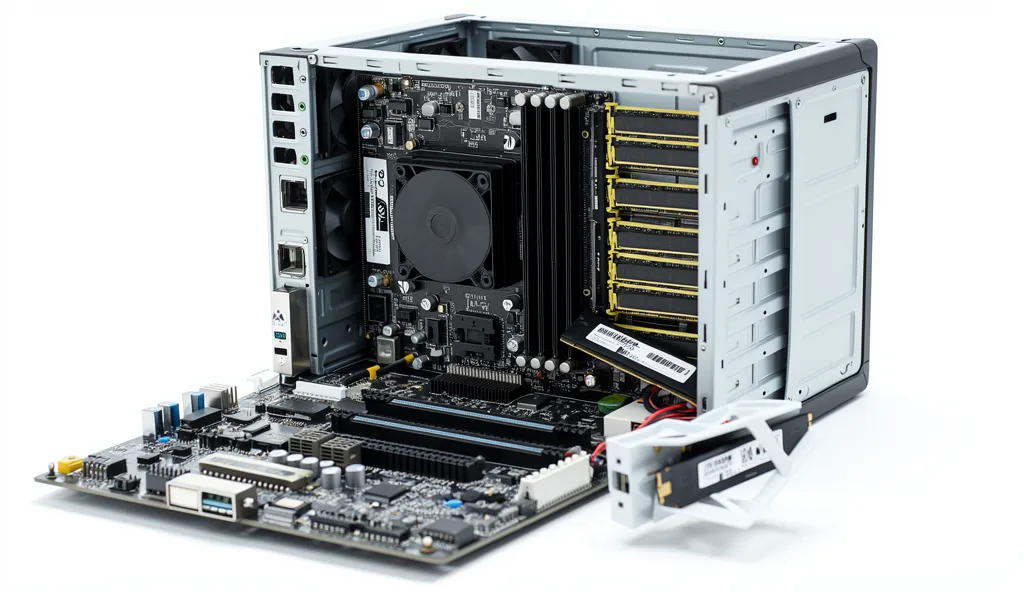
Desktop PC Upgrade Services – BreakFixNow Singapore
You don’t always need a new PC. Most desktops can be significantly faster with the right upgrades — more RAM, a faster SSD, a better CPU, or improved cooling. BreakFixNow provides professional desktop upgrade services in Singapore for gaming rigs, home desktops, and office workstations.
Our technicians assess your existing hardware, identify the bottleneck, and give you an upfront quote before any work begins. Same-day turnaround on most upgrades — no appointment needed. If you’ve decided to sell rather than upgrade, see our Desktop PC Buyback page.
📍 Walk-in: 62 Queen St, CYFL 04 Little Red Dot Building, Singapore 188541 | 📞 WhatsApp: +65 9750 4333
Desktop Upgrade Cost – Singapore
The prices below are labour charges only — cost of parts is not included. A full quote including parts will be provided after assessment.
| Upgrade Type | Time | Labour (SGD) |
|---|---|---|
| Assessment | 20–30 min | Free |
| RAM Upgrade | 30–60 min | From $30 |
| SSD + Data Migration | 1–2 hrs | From $50 |
| CPU Upgrade | 1–2 hrs | From $60 |
| PSU Upgrade | 1–2 hrs | From $50 |
| CPU Cooler Upgrade | 1 hr | From $40 |
| Case Fan Upgrade | 30–60 min | From $20 |
⚠️ Labour charges only — parts not included. Full quote covering both labour and parts provided after assessment. WhatsApp us your specs for a faster estimate.
Common Reasons to Upgrade Your Desktop
- Slow boot and load times — HDD or ageing SATA SSD holding everything back; upgrading to NVMe delivers dramatically faster speeds
- Laggy multitasking — insufficient RAM (8GB or less); 16GB or 32GB DDR4 or DDR5 upgrade resolves this
- Gaming performance drops — CPU bottlenecking your GPU; CPU upgrade or better cooler for sustained clocks
- Overheating and throttling — stock cooler insufficient; aftermarket cooler or extra case fans fix this. Note: if the desktop hasn’t been cleaned in over a year, dust buildup may be the real cause before any upgrade is needed
- System instability or shutdowns — underpowered or ageing PSU; upgrade restores stability
- Running out of storage — adding a secondary SSD or HDD
- Loud system noise — worn or undersized fans; fan replacement resolves this
Quick Checks Before Coming In
- Check RAM usage — Task Manager → Performance → Memory. Consistently above 80%? You need more RAM.
- Check storage type — CrystalDiskInfo shows HDD, SATA SSD, or NVMe. NVMe is significantly faster.
- Check CPU temps — HWiNFO64 or CoreTemp. Above 85°C under load means cooling is the bottleneck.
- Check PSU wattage — labelled on your PSU. Below 500W with a mid-range GPU? Worth upgrading.
- Note your motherboard model — determines RAM speeds and CPU socket compatibility.
Our Upgrade Process
- Free Assessment — We benchmark your desktop, check compatibility, and identify the most impactful upgrades. No charge, no obligation.
- Upfront Quote — Full quote covering both labour and parts before any work begins. No surprises.
- Upgrade on Approval — RAM install, SSD migration, CPU swap, cooler fit, or PSU replacement as agreed.
- Post-Upgrade Testing — System stress-tested after every upgrade to confirm stability before handover.
- Warranty — All upgrades include a 90-day warranty.
What We Upgrade
RAM
DDR3, DDR4, and DDR5. 8GB → 16GB, 16GB → 32GB, 32GB → 64GB. Intel and AMD platforms. Have old RAM to offload? See our Memory (RAM) Buyback page.
Storage (SSD)
SATA SSD and NVMe M.2 upgrades. Full OS + data migration included. Secondary drives for extra storage also available. Already have your own SSD and just need the data moved across? See our HDD to SSD clone service — works for desktops too.
CPU
Same-socket upgrades on Intel LGA 1200, 1700 and AMD AM4, AM5. Thermal paste replaced as standard. BIOS update included if required.
CPU Cooler
Stock cooler replacements with aftermarket air or 120mm/240mm AIO liquid coolers. Reduces CPU temps, improves boost clocks, dramatically reduces noise. See also: thermal paste application service.
PSU (Power Supply)
Upgrade to higher-wattage or more efficient unit. 80+ Bronze/Gold/Platinum options available. Full cable swap and management included.
Case Fans
Add or replace case fans for better airflow. 120mm and 140mm options. RGB and non-RGB available.
Desktop PC Repair • Desktop PC Cleaning • Sell Your Desktop PC • AI PC Build Singapore • Graphics Card Repair • Thermal Paste Application • Sell Your RAM • Desktop PC Glossary
Desktop Upgrade – FAQ
Is the assessment free?
Yes — desktop assessment and compatibility check is free. A fee only applies if no upgrade is carried out.
Are parts included in the price?
No — prices shown are labour charges only. Cost of parts is separate and quoted after assessment.
How long does a desktop upgrade take?
Most upgrades are same-day. RAM and fan upgrades take 30–60 minutes. SSD migration and CPU upgrades 1–2 hours.
Do I need to bring the full desktop?
Yes — bring the full tower so we can confirm compatibility with your motherboard, RAM slots, PSU connectors, and case clearance.
Can you migrate my data to the new SSD?
Yes. SSD upgrades include full OS and data migration — your Windows installation, apps, and files are cloned to the new drive. Already have your own SSD and just need the data transferred? Our HDD to SSD clone service covers desktops too, from $50.
Do you upgrade pre-built desktops (Dell, HP, Lenovo)?
Yes. We upgrade Dell OptiPlex, HP EliteDesk, Lenovo ThinkCentre, and consumer models from all brands.
What warranty do upgrades come with?
All hardware upgrades include a 90-day warranty.
My desktop is broken, not just slow. Can you help?
Yes — but that’s a repair, not an upgrade. See our Desktop PC Repair Singapore page. We fix no-boot, no-display, overheating, motherboard faults, and more. Free diagnosis.
I want to sell my desktop instead of upgrading. Can you help?
Yes — visit our Desktop PC Buyback page. We buy used gaming rigs, home desktops, and office workstations with same-day cash or PayNow.