
DESKTOP PC REPAIR SINGAPORE
PC won’t boot, no display, overheating, or crashing? BreakFixNow diagnoses and repairs desktop PCs in Singapore — gaming rigs, home desktops, and office workstations. Free diagnosis, used parts available for budget repairs. Walk in to our Queen St outlet, no appointment needed.
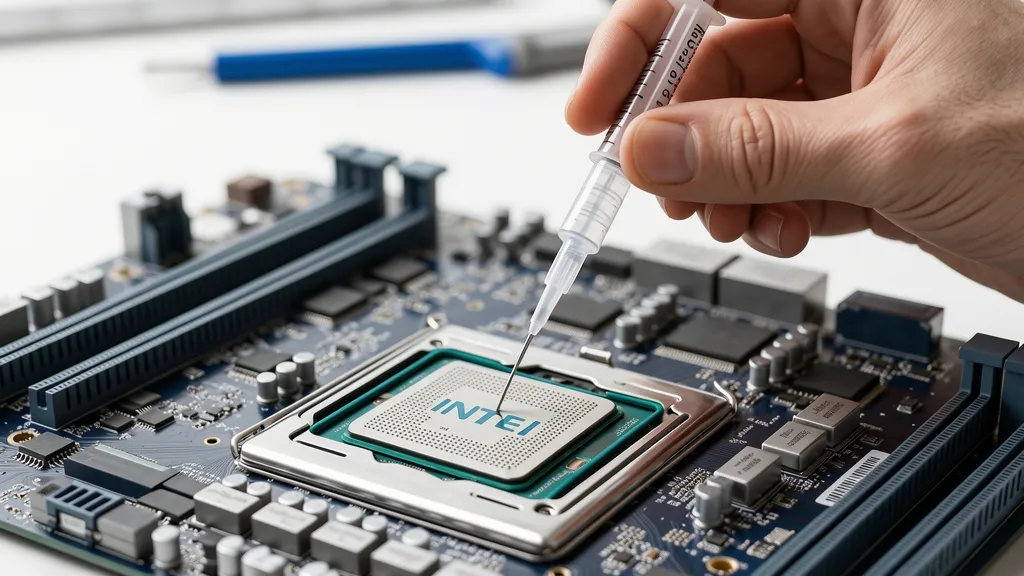
Desktop PC Repair Singapore – BreakFixNow
BreakFixNow diagnoses and repairs desktop PCs in Singapore — gaming rigs, home desktops, and office workstations. Whether your PC won’t POST, has no display, is overheating, or has a failed component, our technicians find the fault on the spot and quote before touching anything.
We cover all brands and form factors — custom builds, Dell, HP, Lenovo, ASUS, MSI, Aftershock, Alienware, ROG, and more. Walk in to our Queen St outlet — no appointment needed.
Not every repair needs a brand-new component. BreakFixNow stocks quality-tested used desktop parts — PSUs, RAM, SSDs, GPUs, and motherboards sourced from our buyback inventory. All used parts carry the same 90-day warranty as new. Ask when you come in.
📍 Walk-in: 62 Queen St, CYFL 04 Little Red Dot Building, Singapore 188541 | 📞 WhatsApp: +65 9131 8317
Desktop PC Repair Cost – Singapore
Labour estimates only — parts quoted separately after diagnosis. Used parts available on request at reduced cost.
| Repair Type | Estimated Time | Price (SGD) |
|---|---|---|
| Diagnosis & Assessment | 30–60 min | Free (waived on repair) |
| Thermal Paste Replacement (CPU) | 1–2 hrs | From $40 |
| Case Fan Replacement | 30–60 min | From $20 |
| PSU Replacement | 1–2 hrs | From $50 labour + parts |
| SSD Replacement + Data Migration | 1–2 hrs | From $50 labour + parts |
| GPU Fan Replacement | 1–2 hrs | From $40 |
| GPU Reflow / Reballing | 1–3 days | From $120 |
| Motherboard Repair (component level) | 1–3 days | From $120 |
⚠️ Need it cheaper? Ask about used-part replacements — sourced from our own buyback stock, tested, and covered by 90-day warranty.
Why BreakFixNow for Desktop PC Repair?
- Used parts stock — tested second-hand PSUs, RAM, SSDs, GPUs, and motherboards from our buyback programme. Budget-friendly repairs without compromising on warranty.
- Free diagnosis — we find the fault first, quote before any work begins. No obligation.
- Component-level repair — we repair at chip level where viable, saving you the cost of a full replacement.
- Same-day turnaround — fan replacements, thermal paste, PSU swaps, and RAM upgrades typically done within the hour.
- 90-day warranty — on all repairs and replacements, new or used parts.
- No upselling — if a used part fixes it just as well, we’ll tell you that instead of pushing new.
Common Desktop PC Faults We Fix
- PC won’t turn on — no power, no fans; typically a failed PSU, dead power button, or shorted component
- No display / black screen — desktop powers on but monitor shows nothing; GPU failure, loose cable, dead port, or BIOS issue
- Won’t POST — stuck on splash screen or no signal; failed RAM, GPU, or motherboard
- Random shutdowns or restarts — overheating CPU or GPU, failing PSU, or unstable RAM
- Blue screen (BSOD) — driver conflicts, failing RAM, or storage errors
- Overheating and throttling — dried thermal paste, clogged heatsink, failed fans, or faulty AIO pump
- GPU artifacting or no display — VRAM instability or solder joint failure
- Loud or grinding fan noise — worn CPU, case, or GPU fan bearings
- PC not detecting SSD or HDD — dead drive, loose SATA cable, failed M.2 slot
- USB ports not working — motherboard USB controller fault
Desktop PC Repair Services
Motherboard Repair
Motherboard faults include failure to POST, dead USB controllers, blown VRMs, and chip-level damage. We diagnose and repair at component level across all major Intel and AMD socket types (LGA 1200, LGA 1700, AM4, AM5). We advise repair vs replacement before any work begins. From $120. Used replacement boards available from our buyback stock for budget cases.
GPU / Graphics Card Repair
GPU faults — no display, artifacting, fan failure, overheating — diagnosed and repaired on the spot. We work with Nvidia GeForce, AMD Radeon, and Intel Arc. Fan replacement from $40, thermal paste and pad replacement from $60, and reflow / reballing for no-display and artifacting faults from $120. Used replacement GPUs available if repair isn’t viable. See the full Graphics Card Repair Singapore page for pricing.
PSU Replacement
A failing PSU causes random shutdowns, instability, and failed POST. We test with a dedicated PSU tester and replace with 80+ Bronze, Gold, or Platinum units. Labour from $50 — parts quoted separately. Used PSUs available from our buyback stock. Full cable management included on every swap.
SSD / Storage Repair & Replacement
We replace failed SSDs, NVMe M.2 drives, and HDDs. All replacements include full OS and data migration. Used SSDs from our buyback stock available at reduced cost — all health-checked before fitting. Labour from $50. Need an upgrade rather than a repair? See Desktop PC Upgrade Singapore.
CPU Overheating & Cooling
Dried thermal paste is the most common cause of desktop throttling. We replace thermal paste and pads, clean heatsinks, and fit aftermarket coolers or AIO liquid coolers where needed. CPU temps above 85°C under load are a clear signal. Thermal paste from $40; cooler upgrades from $40 labour. See also: Thermal Paste Application Singapore.
Repair vs Upgrade — Which Do You Need?
This page covers fault repair — fixing a broken component. If your desktop is working but slow, running out of storage, or bottlenecked, that’s an upgrade. See Desktop PC Upgrade Singapore.
- Come here (repair) if: PC won’t boot, crashes, no display, overheating, loud fan, dead component
- Go to upgrade page if: PC works but is slow, needs more storage, RAM is low, or you want better performance
Quick Checks Before Coming In
- Check all power cables — ensure 24-pin ATX and CPU power connectors are fully seated.
- Reseat the GPU — power off, remove, and firmly reinsert into the PCIe slot.
- Try a different monitor cable and display — rules out cable or monitor as the cause.
- Clear CMOS — remove the motherboard battery for 30 seconds to reset BIOS.
- Check CPU temps — HWiNFO64 or CoreTemp. Above 85°C under load = cooling issue.
- Run Windows Memory Diagnostic — identifies RAM faults behind BSODs and instability.
Our Desktop Repair Process
- Free Diagnosis — We test POST behaviour, thermals, display output, storage, and RAM. No charge, no obligation.
- Upfront Quote — Fixed price before any work begins — new or used parts clearly indicated. No surprises.
- Repair on Approval — Component replacement, reflow, thermal work, or swap as agreed.
- Post-Repair Testing — Stress-tested before handover.
- 90-Day Warranty — Covers all repairs, new and used parts alike.
Desktop PC Brands We Repair
- Gaming PCs — Aftershock PC, Alienware, ASUS ROG, MSI, Acer Predator, HP Omen, custom builds
- Office / Home — Dell OptiPlex, HP EliteDesk, Lenovo ThinkCentre, ASUS VivoPC, Acer Aspire TC
- Workstations — Dell Precision, HP Z-series, Lenovo ThinkStation
- Custom builds — all Intel and AMD platforms, ATX, Micro-ATX, and Mini-ITX
Desktop PC Repair – FAQ
Is the diagnosis free?
Yes — desktop diagnosis is free. We assess the system and give you a quote at no charge. A fee only applies if no repair is carried out.
Do you have used parts for budget repairs?
Yes. BreakFixNow stocks quality-tested used desktop components — PSUs, RAM, SSDs, GPUs, and motherboards — sourced from our own buyback programme. Used parts are tested before fitting and carry the same 90-day warranty as new. Ask when you come in or WhatsApp us your fault and we’ll advise if a used part is suitable.
How long does desktop PC repair take?
Fan replacements, thermal paste, and PSU swaps are typically same-day, 30–90 minutes. Motherboard or GPU reflow / reballing takes 1–3 days. Timeline confirmed after diagnosis.
What’s the difference between repair and upgrade?
Repair fixes a broken or failed component. Upgrade improves a working system. If your PC is slow but functional, see our Desktop PC Upgrade Singapore page instead.
Do I need to bring the full desktop tower?
Yes — bring the full tower so we can test the whole system. If you’ve isolated the fault to a single component (e.g. just the GPU), that card alone is fine. If unsure, bring the tower.
Can you fix a desktop that won’t POST or turn on?
Yes. We test PSU, motherboard, CPU, and RAM systematically to isolate the fault. Many no-POST issues are caused by a failing PSU or a component that needs reseating.
Do you repair gaming PCs?
Yes — gaming desktop repair is a core service. GPU repair, motherboard faults, overheating, and PSU replacement are the most common gaming PC repairs we handle.
What warranty do repairs come with?
All repairs include a 90-day warranty — new and used parts alike. Same fault recurs? We fix it at no charge.
Get a Desktop PC Repair Quote
WhatsApp us your desktop specs, fault description, and any error messages for a fast estimate. Mention if you’re open to used parts for a lower-cost repair.
📍 62 Queen St, CYFL 04
Singapore 188541
Mon–Sat: 11am–8pm
Sun: 12pm–6pm
Graphics Card Repair • Desktop PC Upgrade • Desktop PC Cleaning • Sell Your Desktop PC • AI PC Build Singapore • Desktop PC Glossary