
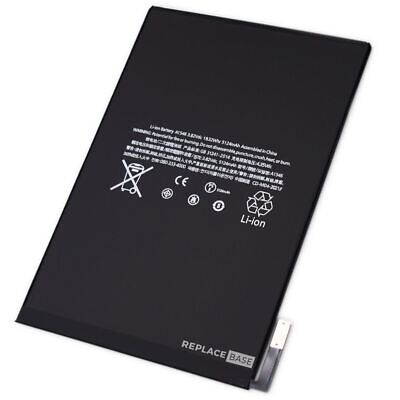
The edge of your iPad screen is lifting away from the frame, or there’s a bright patch that wasn’t there before. The most likely cause is a swollen battery pushing the display up from behind. It’s one iPad fault you shouldn’t wait on.
⚠️ Do this now: stop charging the iPad, don’t press the screen back down, keep it out of the heat, and back it up to iCloud if it still works. Then bring it in.
Signs of a Swollen iPad Battery
- A gap or lifting edge between the glass and the aluminium frame, often on one side.
- Bright or “pressure” patches on the display that stay in the same place.
- The iPad rocks when laid flat, or the back looks slightly domed.
- Glass cracking from the edge without any drop.
- Touch problems in one area, because the display is being bent.
Why iPad Batteries Swell
Lithium-ion batteries slowly release gas inside the cell as they age. Heat and being kept at 100% for long periods speed this up. In an iPad, the battery cells sit directly behind the screen, with very little room to expand, so the screen is the first thing to move. An iPad left on charge in a warm room for months, or used as a permanent wall-mounted display, is the classic case. See What is a swollen iPad battery? for more detail.
Why It’s a Risk
- Safety: a damaged lithium-ion cell can overheat. Never puncture it or try to press it flat.
- Screen damage: the pressure can crack the glass or damage the display layers. A battery job then becomes a battery-and-screen job.
- Frame damage: severe swelling can bend the iPad’s frame.
How It’s Fixed
The swollen battery is removed and replaced. Because the iPad has to be opened through the screen, we check the display at the same time. If it’s undamaged, you only pay for the battery: iPad battery replacement costs $69–129 depending on the model and takes 1–2 hours. If the screen has already cracked, we’ll quote the screen repair before doing anything.
How to Prevent It
- Don’t leave the iPad plugged in all the time, especially in a warm room.
- Keep it out of cars and direct sun.
- Remove thick cases while charging if the iPad gets hot.
- Replace the battery once battery health is low, before it starts to swell.
Frequently Asked Questions
Can I keep using an iPad with a swollen battery?
You shouldn’t. Stop charging it, back it up if you can, and get the battery replaced.
Will the screen go back to normal after the battery is replaced?
If the swelling hasn’t damaged the display, yes: the screen is refitted and sits flush again. If it has cracked or has permanent bright patches, it also needs replacing.
How much does it cost to replace a swollen iPad battery?
At BreakFixNow, iPad battery replacement is $69–129 depending on the model.
🔧 Related
iPad Battery Replacement Singapore
iPad Screen Repair Singapore
What Is a Swollen iPad Battery?
What Is a Battery Cycle?
iPad screen lifting?
Bring it in now. See iPad battery replacement, or WhatsApp us on +65 9750 4333.