
CLONE LAPTOP HDD TO SSD SINGAPORE
Already have an SSD? We copy your entire system — Windows, files, apps, and settings — from your old drive onto your new SSD. No reinstallation. No data loss. Done in 30–60 minutes.
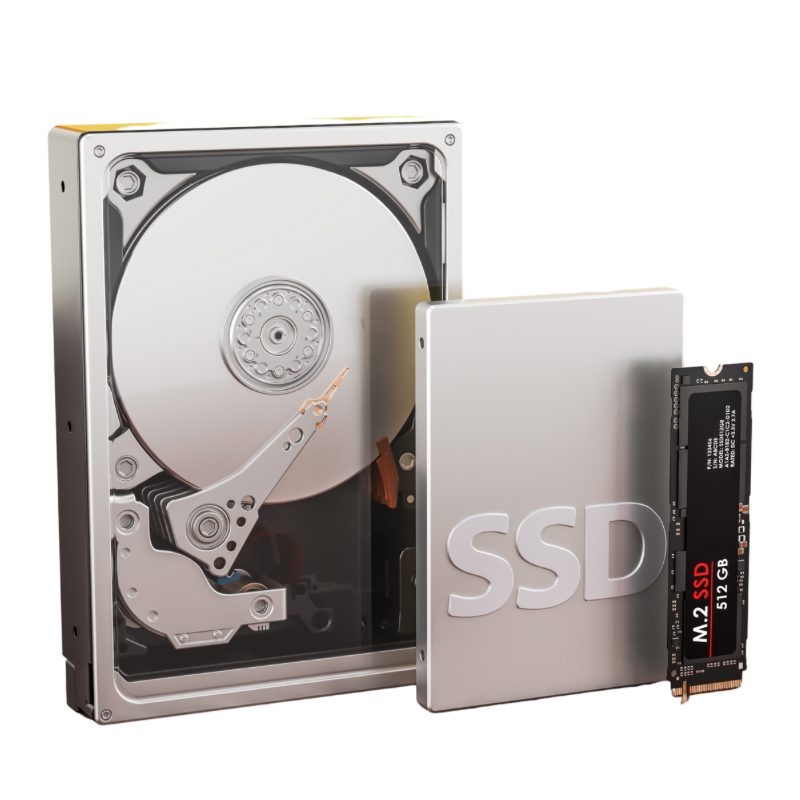
Clone Laptop HDD to SSD – BreakFixNow Singapore
Bringing your own SSD is the most cost-effective way to upgrade your laptop. BreakFixNow handles the data migration — we create an exact copy of your existing drive including Windows, all installed programs, files, and settings, and transfer it onto your new SSD. Your laptop works identically after the clone, just faster. No reinstallation required.
Our technicians verify the clone boots correctly before you leave. You get your old drive back to keep or wipe as you prefer. Walk in to our Queen St outlet — no appointment needed.
See our Laptop SSD Upgrade service — we source the SSD, install it, and migrate your data from $120 (SSD included).
📍 Walk-in: 62 Queen St, CYFL 04 Little Red Dot Building, Singapore 188541 | 📞 WhatsApp: +65 9750 4333
Clone Service Pricing
Labour charges only — you supply the new SSD.
| Service | Time | Price (SGD) |
|---|---|---|
| HDD → SSD Clone | 30–60 min | $80 |
| SSD → SSD Clone | 30–60 min | $50 |
⚠️ Need us to source and supply the SSD too? See our Laptop SSD Upgrade service — SSD + installation + migration from $120.
What’s Included
- Full clone of your drive — Windows, installed apps, files, settings, and browser data
- Drive installation — we fit the new SSD into your laptop
- System verification — we confirm the cloned drive boots correctly before you leave
- Old drive returned — yours to keep as a backup or wipe
- All laptop brands — Dell, HP, Asus, Acer, Lenovo, MSI, Razer, Samsung, and more
When to Use This Service
- You bought an SSD online and want your data migrated during installation
- You’re upgrading from a smaller SSD to a larger one and want to keep everything intact
- Your old HDD is still working but slow — you want to switch to SSD without reinstalling Windows
- You have a spare SSD and want to reuse it in your current laptop
- CrystalDiskInfo is showing Caution on your current drive — migrate while it’s still readable
⚠️ If your old drive is clicking, very slow or showing errors: Tell us before cloning. A failing drive can die mid-clone, so we copy it a safer way first.
Not Sure Which SSD to Buy?
Most laptops made after 2018 use an NVMe M.2 SSD. Older or budget models use a 2.5" SATA SSD. The two are not interchangeable — buying the wrong type is the most common mistake.
Not sure which your laptop takes? WhatsApp us your laptop model before purchasing and we’ll confirm the correct type. Or bring the laptop in first — we’ll check before you buy anything. Learn more: What is an SSD? | What is NVMe?
Our Process
- Walk in — bring your laptop and your new SSD. No appointment needed.
- Compatibility check — we confirm the SSD is the correct type and fits your laptop before starting.
- Clone — we run a full sector-by-sector clone of your existing drive onto the new SSD.
- Verify — we boot from the new SSD and confirm everything works before handing the laptop back.
- Handover — laptop returned with new SSD installed, old drive returned to you.
Clone Service – FAQ
What is HDD to SSD cloning?
Cloning creates an exact copy of your entire drive — including Windows, all installed programs, and every file — onto the new SSD. Your laptop works identically after the clone, just faster. No reinstallation required.
How much faster will my laptop be after cloning to an SSD?
Typically 3–5× faster for everyday tasks. Boot time drops from 2–3 minutes on an HDD to 15–25 seconds on an SSD. Programs open near-instantly and everything feels more responsive.
What’s the difference between this and the Laptop SSD Upgrade service?
This clone service is labour only — you supply the SSD. Our Laptop SSD Upgrade service includes us sourcing the SSD, installing it, and migrating your data — all from $120. If you don’t have an SSD yet, use that service.
Will I lose my files?
No. Cloning copies everything exactly — all files, installed programs, and Windows settings. We also verify the clone boots correctly before returning your laptop.
How long does cloning take?
30–60 minutes depending on how much data is on your current drive. You’re welcome to wait at our outlet.
Do I need to buy a specific SSD brand?
No — we work with all major brands including Samsung, WD, Crucial, Kingston, and Seagate. The important thing is getting the right form factor (NVMe M.2 or 2.5" SATA) for your laptop.
Can you clone a laptop with a slow or failing HDD?
In most cases yes, as long as the drive is still readable. If the HDD has bad sectors or signs of failure, we’ll advise you before proceeding — a data recovery step may be needed first.
Book a Clone Service
WhatsApp us or walk in to our Queen St outlet. Bring your laptop and the new SSD. Done in under an hour.
📍 62 Queen St, CYFL 04
Singapore 188541
Mon–Sat: 11am–8pm
Sun: 12pm–6pm
Laptop SSD Upgrade • Desktop PC Upgrade • What is an SSD? • What is NVMe? • Why SSDs Fail Without Warning • Laptop Repair Glossary