
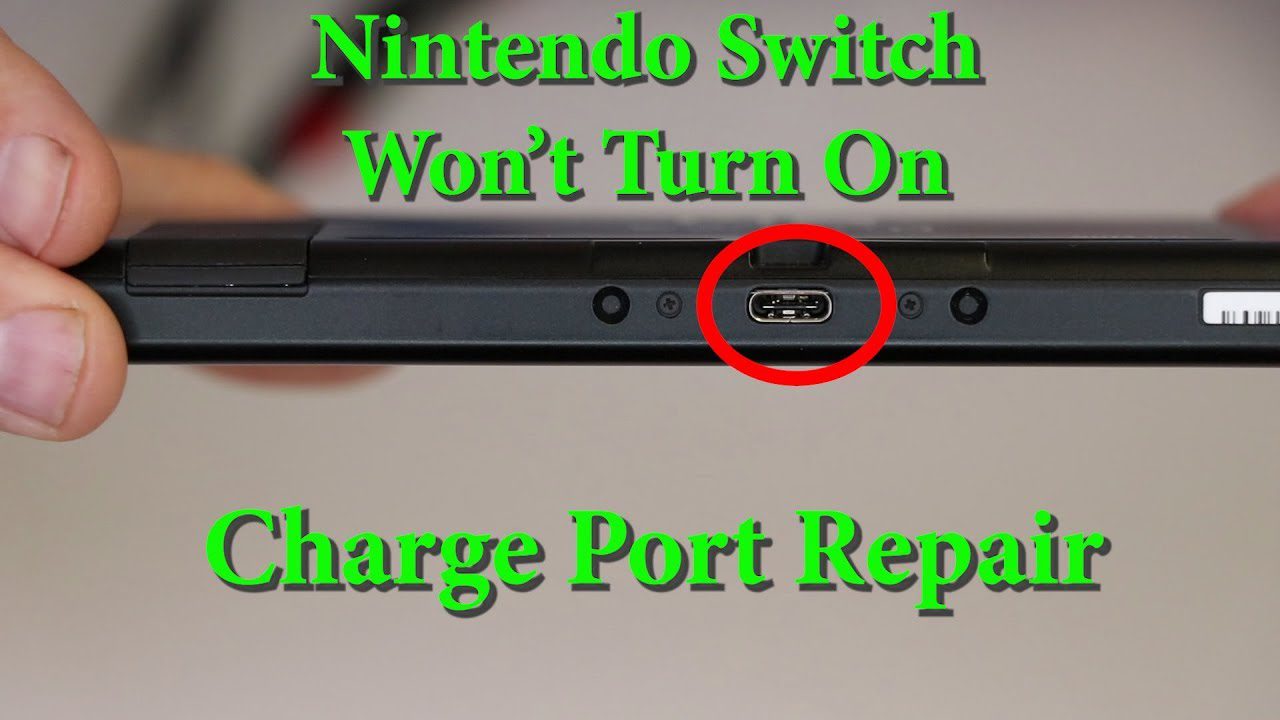
Is your Nintendo Switch not charging? The orange charging light isn’t showing, or the battery percentage won’t increase? Don’t panic—most charging issues are fixable! Whether it’s a faulty charging port, dead battery, or cable problem, here’s everything you need to know about Nintendo Switch charging problems in Singapore.

Diagnose Your Switch Charging Problem
Before attempting fixes, identify your specific issue:
Common Charging Symptoms:
- No charging light: Orange light doesn’t appear when plugged in
- Charges slowly: Takes 8+ hours to fully charge (normal: 3 hours)
- Charges intermittently: Must wiggle cable to charge
- Won’t turn on: Dead battery, won’t boot even when plugged in
- Charges only in dock: Handheld charging doesn’t work
- Dock charging only: Won’t charge directly with cable
Quick Test: Try charging with different cable/adapter. If it works, your original cable is faulty. If still no charging, continue reading.
Fix 1: Force Restart Your Switch
Sometimes Switch freezes with black screen, appearing “dead” when it’s actually just frozen.
How to Force Restart:
- Hold the POWER button for 12-15 seconds
- Release when screen turns black
- Wait 10 seconds
- Press POWER button once to turn on
- Plug in charger—check for orange light
Why this works: Force restart clears system glitches that prevent charging detection. According to Nintendo support documentation, this fixes 30-40% of charging issues.
Success rate: 30-40% for temporary glitches.
Fix 2: Check Your Charging Cable & Adapter
Faulty cables are the #1 cause of charging issues—not the Switch itself!
Switch Charging Requirements:
- USB-C cable (NOT micro-USB)
- 15V/2.6A power adapter (39W) for fast charging
- Minimum: 5V/1.5A (7.5W) for slow charging
- Official Nintendo adapter recommended
How to Test Your Cable:
- Try a different USB-C cable
- Try a different power adapter (phone charger works for testing)
- Inspect cable for damage: fraying, bent pins, loose connection
- Try charging another device with same cable to confirm cable works
Warning about third-party chargers: Some cheap USB-C cables can damage your Switch. Use official Nintendo adapter or certified USB-C PD (Power Delivery) chargers only.
Important: Never use Nintendo Switch with cheap phone chargers long-term. They may charge slower or damage the charging circuit. Official Nintendo AC adapter costs S$38-48—worth the protection!
Fix 3: Clean the Charging Port
Dust, lint, and debris in the USB-C port prevent proper connection.
What You Need:
- Toothpick or wooden tool (plastic, not metal!)
- Compressed air can
- Flashlight
- Isopropyl alcohol (optional)
Cleaning Steps:
- Power OFF your Switch completely
- Shine flashlight into USB-C port
- Look for visible lint, dust, or debris
- Gently scrape out debris with toothpick (be careful not to damage pins)
- Blow compressed air into port (short bursts)
- If using alcohol, dip cotton swab, squeeze out excess, gently clean port
- Let dry 10 minutes before charging
Singapore Tip: High humidity causes pocket lint to compact in ports. Clean charging port every 2-3 months for prevention.
Success rate: 40-50% if debris is the culprit.

Fix 4: Check Your Docking Station
If Switch charges in handheld mode but not in dock, the dock may be faulty.
Dock Troubleshooting:
- Check dock LED: Should be green when powered, white when Switch docked
- Reseat the Switch: Remove and firmly place back in dock
- Inspect USB-C connector: Inside dock, look for bent or damaged pin
- Try different HDMI cable: Bad HDMI can prevent dock function
- Check AC adapter connection: Ensure adapter fully plugged into dock
- Test direct charging: Bypass dock—charge directly with AC adapter
Dock Charging Order (Important!):
- Plug AC adapter into dock first
- Plug HDMI into dock
- Connect HDMI to TV
- Then insert Switch into dock
Wrong sequence can cause charging detection failure.
Fix 5: Perform Battery Reset
If battery is completely drained (0%), Switch may appear “dead” even when charging.
Deep Discharge Recovery:
- Plug Switch into official AC adapter (not dock)
- Leave plugged in for 3-4 hours (don’t try turning on)
- After 3 hours, hold POWER button for 12 seconds
- Release, wait 10 seconds
- Press POWER button once to turn on
- Should see low battery icon, then start charging
Why this happens: Lithium batteries have protection circuits. When battery hits 0%, it enters “sleep mode” to prevent damage. Takes time to “wake up” before accepting charge.
Success rate: 60-70% for deeply discharged batteries.
Fix 6: Update System Software
Outdated firmware can cause charging detection bugs.
How to Update (if Switch turns on):
- Connect to WiFi
- Go to System Settings
- Scroll to System
- Select System Update
- Download and install any available updates
- Restart Switch after update completes
If Switch won’t turn on: Skip this step—software update requires working Switch.
Success rate: 10-15% for software-related charging bugs (rare).
Fix 7: Check Operating Temperature
Switch won’t charge if too hot or too cold (battery protection).
Safe Operating Range:
- Ideal: 5°C to 35°C (41°F to 95°F)
- Charging disabled: Below 0°C or above 40°C
- Singapore weather: Usually not an issue, but watch for overheating
Overheating Prevention:
- Don’t play demanding games while charging
- Remove from case when charging
- Ensure good ventilation around vents
- Don’t leave in hot car or direct sunlight
- Clean air vents regularly
If Overheated: Power off, let cool for 30 minutes in air-conditioned room, then try charging.
When to Get Professional Repair
If none of the above fixes work, you likely have hardware failure. At BreakFixNow, we diagnose and repair all Nintendo Switch charging issues.
Common Hardware Problems:
1. Charging Port Replacement
- Symptoms: Loose connection, must wiggle cable, intermittent charging
- Cause: Wear from inserting/removing cable, or physical damage
- Repair time: 45-60 minutes
- Cost: S$50-70
- Success rate: 95%
2. Battery Replacement
- Symptoms: Won’t hold charge, drains in 1-2 hours, battery swollen
- Cause: Battery degradation after 2-3 years, or overcharging
- Repair time: 45-60 minutes
- Cost: S$50-80
- Success rate: 98%
- Learn more: Nintendo Switch Battery Replacement
3. Charging IC (Integrated Circuit) Repair
- Symptoms: No charging at all, even with new cable/port
- Cause: Power surge, liquid damage, or component failure
- Repair time: 2-3 hours (board-level repair)
- Cost: S$80-120
- Success rate: 70-80%
4. Motherboard Damage
- Symptoms: No power, won’t boot, charging IC failed
- Cause: Severe liquid damage, short circuit, or drop damage
- Repair time: 3-5 hours (micro-soldering required)
- Cost: S$120-200
- Success rate: 50-60% (depends on damage severity)
Switch Charging Repair Costs in Singapore (2026)
BreakFixNow Pricing:
- Free diagnostic (15 minutes)
- Charging port replacement: S$50-70
- Battery replacement: S$50-80
- Charging IC repair: S$80-120
- Motherboard repair: S$120-200
- 90-day warranty on all repairs
Nintendo Official Service:
- Diagnostic: S$10-20
- Charging repairs: S$80-150
- Wait time: 2-4 weeks
- Warranty coverage: 90 days to 1 year
DIY Repair Kits:
- Charging port kit: S$15-25
- Battery kit: S$30-45
- Risk: High (can damage motherboard if inexperienced)
- Not recommended unless experienced with electronics
How to Prevent Charging Problems
Cable Care:
- Don’t yank cable out—gently remove
- Avoid sharp bends near connectors
- Store cables loosely coiled, not tightly wrapped
- Replace frayed cables immediately
- Use official Nintendo cable or certified USB-C PD cables only
Battery Health:
- Avoid completely draining battery (don’t let hit 0%)
- Don’t leave plugged in 24/7 (overcharging degrades battery)
- Charge between 20-80% for longest battery life
- Use Switch regularly (lithium batteries degrade if unused)
- Store at 50% charge if not using for weeks
Port Protection:
- Clean port every 2-3 months with compressed air
- Don’t insert cable at angle—straight in only
- Keep Switch in case when not in use (prevents dust)
- Avoid eating/drinking while playing (crumbs in port)
- Use port cover/plug when traveling (S$5-10 on Shopee)
Singapore-Specific Tips:
- High humidity accelerates port corrosion—use silica gel packs in storage
- Don’t leave Switch in hot car (battery damage)
- Use in air-conditioned rooms during hot days
- Wipe off sweat before docking (moisture damage)
Frequently Asked Questions
How long does it take to charge a Nintendo Switch?
With official Nintendo AC adapter: approximately 3 hours from 0% to 100% while powered off. Charging while playing takes 4-5 hours. Slow charging (5-8+ hours) indicates problem with cable, adapter, or battery.
Can I use my phone charger to charge Nintendo Switch?
Yes for temporary use, but not recommended long-term. Phone chargers (usually 5V/2A) charge slower than Nintendo’s 39W adapter. Some cheap chargers can damage Switch charging circuit. Use official adapter or certified USB-C PD chargers only.
Why does my Switch charge slowly?
Common causes: (1) Using weak phone charger instead of Nintendo adapter, (2) Dirty charging port blocking connection, (3) Charging while playing demanding games, (4) Battery degradation after 2-3 years, (5) Faulty cable. Try official adapter first, then clean port.
My Switch won’t charge past 1%. What’s wrong?
This usually indicates battery failure or charging IC problem. Battery protection circuit may be preventing charge beyond 1% due to cell damage. Requires professional diagnosis—likely needs battery replacement (S$50-80) or charging IC repair (S$80-120).
How long does Switch battery last before replacement?
Nintendo Switch battery lasts 2-3 years (500-800 charge cycles) before noticeable degradation. You’ll know it’s time for replacement when: battery life drops below 2 hours, drains even when powered off, or won’t charge past certain percentage.
Can I replace Nintendo Switch charging port myself?
Not recommended unless you have micro-soldering experience. The USB-C port is soldered to the motherboard with 24 tiny pins. One wrong move damages the board permanently. Professional repair at BreakFixNow costs S$50-70 with warranty—much safer than DIY risk.
Will charging port repair delete my save data?
No. Charging port replacement doesn’t affect internal storage or save data. Your games, screenshots, and saves are safe. However, always backup to Nintendo Switch Online or microSD card before any repair—just for safety.
How much does Nintendo charge for charging port repair?
Nintendo official service: S$80-150 with 2-4 weeks wait time. BreakFixNow: S$50-70 with same-day service. Both include warranty. BreakFixNow is faster and more affordable without compromising quality.
Fix Your Switch Charging Problem Today
WhatsApp: +65 9750 4333
Free Diagnostic: We’ll identify the exact issue
Same-Day Repair: Most fixes in 45-90 minutes
✓ Free Diagnostic • ✓ 90-Day Warranty • ✓ Quality Parts