
NAS Data Recovery Singapore – Synology, QNAP, WD & More
Lost access to your NAS? Drive failure, degraded RAID, accidental deletion, failed firmware update, or dead unit — BreakFixNow recovers data from all major NAS brands in Singapore. Free diagnosis. No data, no fee.
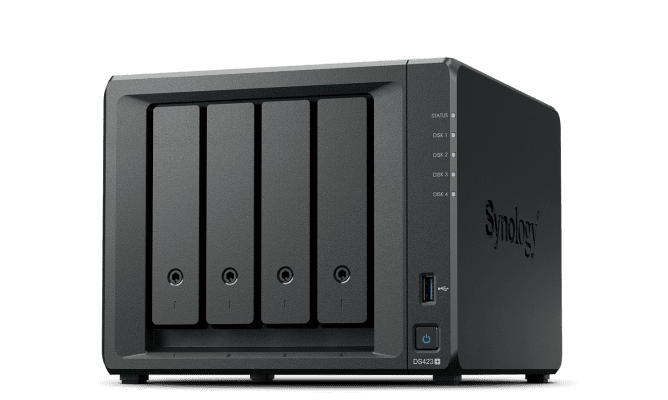
NAS Data Recovery — What We Fix
NAS failures happen fast and the data loss can be severe. Whether it’s a single drive failure on a Synology, a full RAID degradation on a QNAP, an accidental deletion, or a unit that simply won’t power on — BreakFixNow recovers data from all major NAS brands and configurations. We work with Synology, QNAP, Western Digital, Asustor, Buffalo, Netgear ReadyNAS, and Seagate NAS units across all RAID levels.
NAS Failure Scenarios We Recover From
🔴 Drive Failure / Degraded RAID
One or more drives have failed, leaving your RAID array degraded or completely offline. We recover data from RAID 0, 1, 5, 6, and 10 arrays across all NAS brands — including multi-drive failures on RAID 5 and 6 where redundancy has been exhausted. Don’t rebuild the array before consulting us — a premature rebuild can overwrite recoverable data.
🗑️ Accidental Deletion
Files, folders, or entire shared volumes deleted from your NAS — whether by a user, a misconfigured script, or a ransomware infection. The sooner you stop writing to the NAS and bring it in, the higher the recovery success rate. We recover deleted files from Synology Btrfs and ext4 volumes, QNAP QTS and QuTS Hero, and WD My Cloud shares.
⚠️ Failed DSM / QTS Update
A Synology DSM or QNAP QTS firmware update that went wrong — NAS stuck in boot loop, won’t load the web interface, or shows a solid amber light. Your data is usually intact even when the OS partition has been corrupted. We extract data from the drives without needing the NAS OS to function, then restore or reinstall DSM/QTS once your data is safe.
💀 Physical Damage / Dead NAS
NAS unit won’t power on at all — PSU failure, power surge, motherboard fault, or physical damage. Even when the NAS itself is dead, the drives often survive intact. We extract the drives, assess their health, and recover your data by reading the volume directly. For Synology and QNAP, we can also migrate your drives to a compatible unit to restore access without full data recovery.
NAS Brands We Recover From
- ✓ Synology — DiskStation DS series, RackStation RS series, all DSM versions (ext4 and Btrfs)
- ✓ QNAP — TS series, TVS series, QTS and QuTS Hero (ZFS and ext4)
- ✓ Western Digital (WD) — My Cloud Home, My Cloud EX2/EX4, PR series
- ✓ Asustor — Lockerstor, Drivestor, Flashstor series
- ✓ Netgear ReadyNAS — All ReadyNAS models
- ✓ Buffalo — LinkStation, TeraStation series
- ✓ Seagate — BlackArmor NAS units
Our NAS Recovery Process
- Free Diagnosis — Bring in your NAS and drives. We assess the failure type, drive health, and volume integrity at no charge and provide a transparent quote before any work begins.
- Drive Health Assessment — SMART tests, surface scans, and firmware-level checks on each drive to determine which are healthy and which need imaging before recovery.
- Volume Extraction — We reconstruct the RAID array parameters and mount the volume read-only to prevent further data loss. For dead NAS units, drives are extracted and read directly.
- Data Recovery — Files extracted and verified. For accidental deletion cases, we scan the volume for recoverable file structures before any writes are made.
- Verification & Handover — You verify your recovered data before we close the job. We then advise on backup strategy to prevent recurrence.
⚠️ Important: If your NAS has failed, power it off immediately and do not attempt to rebuild the RAID, reinitialise the volume, or run DSM/QTS repair utilities. These actions can overwrite recoverable data. Bring the unit in as-is for the best chance of recovery.
RAID Recovery
RAID recovery from NAS arrays is one of our most common jobs. We recover from all standard RAID configurations used by Synology and QNAP — RAID 0, RAID 1, RAID 5, RAID 6, and RAID 10 — including SHR (Synology Hybrid RAID) and QNAP’s RAID 5 with hot spare configurations. For complex multi-drive failures, see our dedicated RAID Recovery page →
NAS Recovery Pricing
| Service | Starting Price (SGD) |
|---|---|
| NAS Diagnosis | Free |
| NAS Data Recovery (logical) | From $300 |
| NAS Data Recovery (physical) | From $400 |
| RAID Array Recovery | See RAID Recovery page |
| NAS Repair (hardware fault, PSU, fan) | From $80 |
| DSM / QTS Reinstallation (data preserved) | From $80 |
| NAS Setup & Configuration (new unit) | From $80 |
| Drive Migration to Replacement NAS | From $120 |
| On-Site Service (Singapore) | From $120 |
*Final pricing depends on drive count, RAID level, and extent of damage. Full quote provided after free diagnosis. No data, no fee applies to data recovery jobs.
NAS Setup, Repair & Other Services
- NAS Setup & Configuration — Drive installation, RAID creation, user accounts, shared folders, remote access (QuickConnect, Tailscale, WireGuard), and automated backup setup.
- DSM / QTS Update & Migration — Firmware upgrades and full NAS migration to new hardware.
- Hardware Repair — PSU replacement, fan repair, network port faults, and drive bay issues.
- Backup Solution Design — Hyper Backup, Active Backup, rsync, and Time Machine configuration to protect your data going forward.
📋 Visit Our 4 Locations
Bugis Village
3 New Bugis Street, CCP #106
Singapore 188867
⏰ Hours
11am – 9pm Daily
BedokMall
311 New Upper Changi Rd, #B1-14
Singapore 467360
⏰ Hours
11am – 9pm Daily
WestGate
03-K2 (Outside Singtel)
3 Gateway Road, Singapore 608532
⏰ Hours
12pm – 9pm Daily
Ang Mo Kio Central
#01-2533 (Opposite MaxiCash)
703 Ang Mo Kio Ave 8, Singapore 560703
⏰ Hours
11am – 9pm Daily
Related Services:
RAID Recovery | Laptop Repair | Motherboard Repair | SSD Upgrade | Graphics Card Repair
NAS Data Recovery — FAQ | BreakFixNow Singapore
My Synology NAS shows a degraded volume — can you recover my data?
Yes. A degraded volume means one drive has failed but the array is still running on reduced redundancy. Power off the NAS now to prevent a second drive failure from taking the array fully offline. Bring it in immediately — we can assess drive health, replace the failed drive, and rebuild the volume safely with your data intact.
My NAS won’t turn on at all. Is my data still recoverable?
In most cases, yes. When a NAS unit dies due to PSU failure, power surge, or motherboard fault, the drives themselves are usually unaffected. We extract the drives, check their health, and read the volume directly. For Synology and QNAP, drives can often be migrated to a compatible unit to restore access without full data recovery.
A DSM update on my Synology failed and now it’s stuck in a boot loop. Is my data safe?
Almost always yes — a failed DSM update corrupts the OS partition but leaves your data volumes untouched. We recover your data by reading the drives directly without DSM, then reinstall DSM cleanly once your data is secured. Do not attempt to reinstall DSM yourself before recovering your data.
I accidentally deleted a shared folder on my QNAP. Can it be recovered?
Possibly — the sooner you act, the better. Power off the NAS immediately to stop any new data being written over the deleted space. Do not create new files or run any scans on the NAS. Bring it in as-is. Recovery success depends on how much has been written to the volume since deletion.
What RAID levels can you recover from?
We recover from RAID 0, RAID 1, RAID 5, RAID 6, RAID 10, and Synology SHR (Synology Hybrid RAID). This includes multi-drive failure scenarios on RAID 5 and 6 where parity redundancy has been exhausted. See our RAID Recovery page for full details.
Do you charge if you can’t recover my data?
No. Our data recovery service operates on a no data, no fee basis. If we cannot recover your data, you pay nothing for the recovery attempt. Diagnosis is always free.
Can you come on-site to recover my NAS data?
Yes, on-site service is available for businesses across Singapore — particularly useful for rack-mounted NAS units or situations where the equipment cannot be transported. Contact us for on-site availability and pricing.
My NAS was hit by ransomware. Can you recover the files?
Sometimes. Ransomware recovery depends on which strain was involved and whether any unencrypted snapshots or previous versions exist on the volume. Synology Btrfs and QNAP QuTS Hero both support snapshots which can survive ransomware attacks if properly configured. Bring the unit in for assessment — we will determine what is recoverable before quoting.