
Acer Aspire Repair
BreakFixNow offers same-day repairs to the Acer Aspire 1, 3, 5 and 7, at reasonable rates. All repairs are covered by a 90 day warranty. We can replace screens, batteries, keyboards and hinges, and repair motherboards.

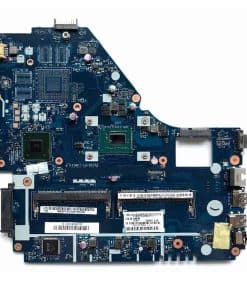
Repairs to a Wide Range of Acer Aspire Laptops
Cracked and failed displays, flat batteries, unresponsive or difficult to use keyboards, a range of motherboard failures and overheating are all common failures we see, from students, general and business users. All can generally be repaired within the day, using reliable quality parts, at reasonable costs, on Aspire 1, 3, 5 and 7 models.
Range of Repairs:
A wide range of failures can be repaired on all Aspire models, including all major components.
- Replace Display: all manner of damaged and deteriorating displays, with reliable quality LCD or LED. Typically 2 to 3 hours.
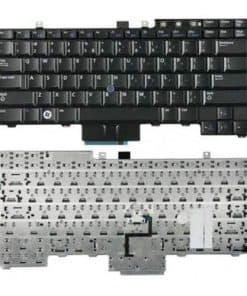
- Keyboards, Touchpad: replace a number of keys, the whole keyboard or the touchpad. Typically 1 to 2 hours.
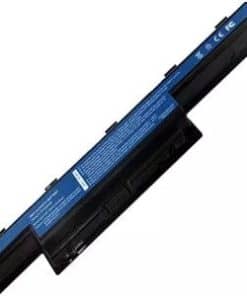
- Battery: if not charging correctly, or runs down quickly. 1 to 2 hours.
- Software Issues: generally running slowly; we diagnose the cause of problems in 30 mins to 1 hour.
- Will Not Charge: replace a damaged charging socket or repair circuits. 1 to 2 hours.
Acer Aspire Time to Repair
- Most batteries, keyboards and other minor repairs: 1 to 2 hours.
- Most display replacements: 2 to 3 hours.
Acer Aspire Cost of Repair
As shown below, all including GST and subject to our warranty. Phone 97504333.
- Replace battery: $80 and up
- Replace keyboard: $90 and up
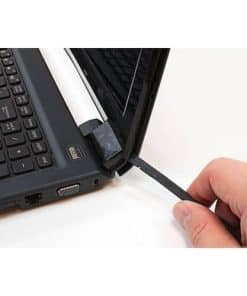
- Repair screen hinge: $80 and up
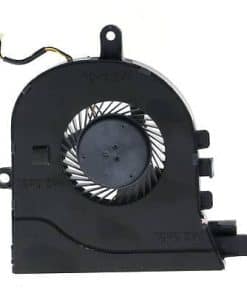
- Clean fan and repaste: $40 and up
- Replace display: $160 and up, varying significantly with model and size
- Repair motherboard: $150 and up
- Diagnose problem: free
Frequently Asked Questions About Acer Aspire Repair
How long does Acer Aspire laptop repair take in Singapore?
Most minor repairs like battery or keyboard replacements take 1–2 hours. Screen and motherboard repairs typically take 2–3 hours. Most Acer Aspire repairs are done the same day.
How much does Acer Aspire screen replacement cost?
Acer Aspire screen replacement starts from $160, depending on your model and screen size. Call or WhatsApp 9750 4333 for an exact quote.
Do you repair all Acer Aspire models?
Yes. We repair the Aspire 1, 3, 5 and 7, as well as older Aspire Nitro units. For the current Nitro gaming range, see our Acer Nitro repair page.
Is there a warranty on Acer Aspire repairs?
Yes. All Acer Aspire repairs come with a 90-day warranty on parts and labour.
Where can I get my Acer Aspire repaired in Singapore?
Walk in to any BreakFixNow outlet: Bugis, Marine Parade (Parkway Parade), Jurong East or Ang Mo Kio.
Aspire Under Warranty: You will of course wish to use an authorised Acer agent for warranty repairs. We would be pleased to repair any out-of-warranty faults, supply and fit parts, and diagnose problems.
Various Models of Acer Aspire
There are a large number of models to suit a variety of general applications. These include:
Acer Aspire 1
Low end, basic functions.
Acer Aspire 3
Very widely sold for general applications at home, for study, business, etc.
Acer Aspire 5
Higher specification processors and displays, suitable for running several applications concurrently, and some photo and other editing.
Acer Aspire 7
Still more capable, for some games and other media development.
Acer Aspire Nitro
Games oriented, subsequently continued under the Acer Nitro name.
How to Replace a Damaged Screen on Your Acer Aspire
You may prefer to attempt this yourself, to save on costs. This should only be done carefully and with appropriate tools.
Tools and Materials Needed: an appropriate replacement screen, small cross-head screwdriver, thin plastic lever, ideally a static wrist-strap, soft cloth and something to hold screws.
- Switch off completely, disconnect the power lead and remove a removable battery.
- Carefully lever around all edges of the screen bezel, starting preferably from the bottom left and right corners. There are many clips, most of which will snap with excessive force.
- There will be several (4 to 6) small screws securing the screen. Unscrew, placing them in the container.
- Carefully lower the screen onto the keyboard, taking care not to tug on the rear cable.
- Lift off the securing tape and gently unplug the screen plug (some may require lifting a catch).
- Lift the screen clear.
- Plug in the replacement screen and re-secure with tape.
- Re-attach the screen, being careful not to over-tighten the screws.
- Attach power and switch on to satisfy yourself the display is OK.
- Switch off and carefully clip on the bezel, progressing around from one corner.
⚠️ Important: there are many different screens, so ensure you obtain one appropriate for your model. Great care must be taken throughout not to apply undue force and further crack or break the screen or internal cabling. Excessive tightening or other damage may invalidate any residual warranty. Allow 1 to 3 hours to complete. There are many cheap screens of unknown reliability available.
Reasons to Have the Screen Professionally Replaced
As can be seen above, there are reasonable arguments for doing this yourself. However:
Other Faults Found
Associated problems, such as a torn internal lead, failing hinges and various motherboard faults, may be identified.
Right Part
We will supply an appropriate quality screen for the particular model.
Time
We will usually complete the repair in 2 to 3 hours, probably considerably less time than an inexperienced user.
Warranty
Our work would be guaranteed. Any damage incurred during a DIY attempt would be at your cost.
Risk
A false move could easily result in other substantial damage, greatly increasing costs beyond about $150.
Tools
We will have suitable tools, a static wrist-strap, etc.
Acer Aspire Display Repair in Singapore
In summary, we offer:
✓ Same-day service
✓ Reasonable costs, starting at only $160
✓ Good quality replacement displays
✓ Warranty
✓ Free quote and identification of the problem
✓ Convenient locations at Bugis, Marine Parade (Parkway Parade), Jurong East and Ang Mo Kio
Further information is on our Acer screen repair page, or phone 97504333.
Other Common Failures on Aspire Laptops in Singapore
The following are also very frequently reported:
1. Failing Battery
Symptoms: may lose charge rapidly, fail to recharge, run only when connected to power, and may become distended.
Most batteries will deteriorate significantly within about 2 to 3 years. High ambient temperatures in Singapore may well accelerate deterioration. Symptoms include failure to charge beyond 50 to 60%, shutdown at 20 to 30%, and erratic battery percentage indications.
Solution: can be replaced from $80, typically 1 to 2 hours. See Acer battery replacement.
2. Various Keyboard Problems
Symptoms: keys may stick, be unresponsive, repeat characters, or be damaged, for example by a liquid spill.
Wear, dirt, liquid, etc. will eventually affect most keyboards, resulting in unresponsive keys and repeated characters, very annoying for extended typing.
Solution: the keyboard can be replaced, from $90, usually 1 to 2 hours.
3. Overheating
Symptoms: may be very noisy, very hot on the lower casing, shut down, reduce speed (throttling) or hang.
Blocked air inlets and passages, old and ineffective thermal paste on major heat-generating components, or a faulty fan will all lead to elevated operating temperatures, aggravated by high ambient temperatures. Prolonged overheating will lead to premature failure of various components, in particular the motherboard.
Solution: clean the fan and passages, replace the thermal paste, and replace the fan if required, from $40.
4. Loose, Damaged or Failing Screen Hinges
Symptoms: screen may be loose, hinges may be snapped, noise may be heard when moving the screen, screen may fall.
Many Aspire models suffer from cracking of the upper and lower casing around the hinges, and from failing and loose hinges. The screen lead is sometimes affected.
Solution: Acer hinge repair from $80. Worth repairing before further and more expensive damage occurs, eg to the screen lead.
5. Various Motherboard Problems
Symptoms: may fail to operate, no display, various ports may fail (including USB and charging), unexpected restarts, etc.
A wide range of problems may result, and be due to over-voltage, liquid spill, failed components, etc.
Solution: can usually be diagnosed and many repaired from $150, often down to individual failed components.
6. Hard Disk Drive Problems
Symptoms: may be slow to load, hang, make noises, fail to show files, report errors, and various other problems.
Hard disk drives, fitted to many older models, are prone to failure, particularly if dropped. Solid-state drives are less prone but can also fail.
Solution: can be replaced, or upgraded to SSD, significantly improving operating speed.
7. Poor, Intermittent or No WiFi
Symptoms: may be unable to locate or connect to access points, intermittent connection, poor speed, no internal WiFi card detected.
May be various software issues, a failing card or a loose connection, for example following a drop.
Solution: can be repaired and the card replaced if necessary. See laptop WiFi card repair.
Official Acer Laptop Service Centres in Singapore
Any in-warranty repairs should be done through the official Acer service centre:
Official Acer Service Centre Singapore
Contact: +65 6389 3988
Website: Acer Singapore Support
Other Acer models we repair
Acer Swift repair • Acer Nitro repair • Acer Predator repair
All Acer laptop repair
Table of Contents
- Acer Aspire Repair
- Repairs to a Wide Range of Acer Aspire Laptops
- Acer Aspire Cost of Repair
- Frequently Asked Questions About Acer Aspire Repair
- How to Replace a Damaged Screen on Your Acer Aspire
- Reasons to Have the Screen Professionally Replaced
- Acer Aspire Display Repair in Singapore
- Other Common Failures on Aspire Laptops in Singapore