
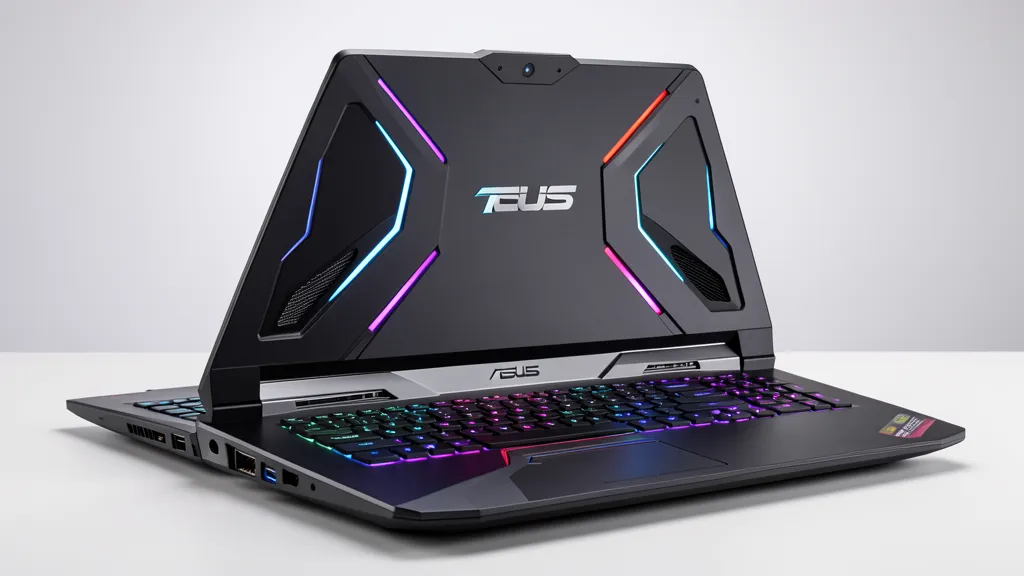
ASUS TUF GAMING REPAIR
Professional Asus TUF Gaming laptop repair services in Singapore. We specialise in cooling system overhauls, screen replacement, keyboard repairs, battery fixes and hinge repair for TUF Gaming A-series and F-series laptops. Get back to gaming fast with BreakFixNow.

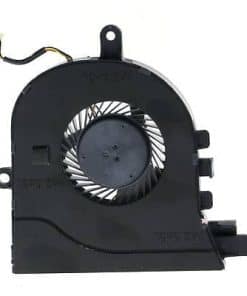
Asus TUF Gaming Repair – BreakFixNow Singapore
The TUF Gaming is Asus’s entry-point gaming laptop line — more affordable than the ROG Strix and Zephyrus, MIL-STD-810H certified for durability, and built around a thicker plastic chassis that prioritises sustained thermal performance over portability. The TUF Gaming A15 and A16 run AMD Ryzen; the TUF Gaming F15 and F16 run Intel Core H-series. Both lines use a dual-fan cooling layout with separate heatpipes for the CPU and GPU, a larger heatsink fin stack than the VivoBook, and a 90Wh battery. The tradeoff is weight — TUF Gaming machines typically weigh 2.2–2.4kg — and that extra mass puts meaningful load on the hinges over time. BreakFixNow has extensive experience with the TUF Gaming A-series and F-series across all generations from 2020 onwards.
TUF Gaming Models We Repair
TUF Gaming A15 / A16 (AMD)
The A15 (FA506) and A16 (FA607) run AMD Ryzen 5000 through 7000 series with RTX 30- or 40-series GPUs. The A16 introduced a larger 16-inch chassis in 2023 with a wider bottom intake grille and an improved hinge design over the A15. Both models have a removable bottom panel that gives direct access to the battery, dual M.2 slots and the dual fans — making cleaning and upgrades straightforward. The 2023 A15 and A16 with Ryzen 7045-series processors run measurably hotter than the 2021–2022 Ryzen 5000 models; thermal paste quality and quantity at the factory varies and re-pasting typically yields a significant improvement.
TUF Gaming F15 / F16 (Intel)
The F15 (FX506) and F16 (FX607) use Intel Core i5-H or i7-H processors. The F15 has been the longest-running TUF model and has seen several chassis revisions; the 2022+ F15 changed hinge design compared to the 2020–2021 models, so hinge parts are not interchangeable across generations. The F16 shares its chassis architecture with the A16 but uses a different motherboard layout due to the Intel platform. Both F-series models have the same dual-fan, dual-M.2, bottom-access design as the A-series.
Common TUF Gaming Faults by Component
Cooling Faults (Most Common)
Thermal throttling is the most common TUF Gaming complaint, and it is almost always fixable. The dual-fan layout uses two fans drawing air through bottom intake vents and expelling it from the rear and left side. Dust accumulates on the heatsink fins between the fans and the exhaust slots — a compressed-air blast through the exhaust slots clears surface dust but does not reach the fin stack, which requires disassembly. We run a pre-repair temperature test to baseline the improvement: a TUF Gaming showing 95–100°C under load typically drops to 75–85°C after a full fan clean and re-paste. Cooling service starts from $60.
Screen Faults
TUF Gaming screens are FHD 144Hz IPS on base and mid-tier SKUs, QHD 165Hz on higher-tier SKUs. The 2023 A16 and F16 introduced a 16:10 aspect ratio panel — different from the 16:9 panel on the A15 and F15, and not cross-compatible. The thicker chassis and wider bezel make screen replacement easier than on thin-bezel premium laptops. Dead pixels and crack damage from drops are the most common faults. Screen replacement starts from $150.
Hinge Faults
TUF Gaming hinges carry more load than consumer laptops due to the heavier chassis and lid. The plastic hinge cover on the A15 and F15 (2020–2022 models) cracks at the outer edge of the left hinge — this is a known wear point. On the 2023+ A16 and F16, the revised hinge design uses a wider bracket that distributes the load more evenly. Hinge repair starts from $80; parts are not cross-compatible between the 2022 and 2023 chassis generations.
Keyboard Faults
TUF Gaming keyboards are zone RGB (4-zone lighting on standard models, per-key RGB on some higher-tier SKUs). WASD wear is common after 12–18 months of gaming use. The keyboard deck on all TUF Gaming models is a single unit — individual switch replacement is not practical and a full deck swap is required for most keyboard faults. The deck removal on A15/F15 is straightforward after bottom panel removal. Keyboard replacement starts from $120.
Battery Faults
TUF Gaming batteries are 90Wh — larger than ZenBook and VivoBook batteries but the same as the ROG Strix. The larger cell takes longer to swell, but TUF Gaming machines are often used plugged in at 100% charge for extended periods (gaming sessions), which accelerates calendar aging. ASUS’s Armoury Crate battery limiter (charging capped at 80%) significantly extends battery life if enabled. Swelling causes the bottom panel to bow at the battery cover area. Battery replacement starts from $80.
TUF Gaming Repair Pricing
Cooling service (fan clean + thermal paste) from $60. Screen replacement from $150. Battery replacement from $80. Hinge repair from $80. Keyboard replacement from $120. Contact us with your model number for a firm quote — parts vary between chassis generations.
🔗 Other Asus models we repair: ZenBook · VivoBook · ExpertBook · All Asus Laptop Repair
TUF Gaming Repair – FAQ
My TUF Gaming is hitting 95°C under load and throttling badly — is that fixable without replacing parts?
Almost certainly yes — 95°C under load on a TUF Gaming is almost always dust accumulation plus dried thermal paste. A full fan clean and re-paste typically brings peak temperatures down to 75–85°C. We run a pre- and post-repair temperature test so you can see the improvement. Cooling service starts from $60 and takes about an hour.
The left hinge cover on my TUF Gaming A15 has cracked — is that serious?
It’s a known wear point on the 2020–2022 A15. If the hinge barrel itself still moves smoothly, we can replace the cover without a full hinge strip-down. If the barrel has started to wobble or the chassis spine has pulled, a full hinge repair is needed. Bring it in for a free assessment.
Are the screen panels different between the TUF A15/F15 and the newer A16/F16?
Yes — the A15 and F15 use 15.6-inch 16:9 panels; the A16 and F16 use 16-inch 16:10 panels with a different aspect ratio and mounting. They are not interchangeable. We confirm the exact panel part number from your model number before sourcing.
Can I upgrade the RAM or SSD in my TUF Gaming while it’s in for repair?
Yes — all TUF Gaming models have user-accessible RAM slots and dual M.2 slots under the bottom panel. If your unit is already in for repair we can upgrade storage or RAM at the same time. Let us know when you bring it in.
How long does a TUF Gaming repair take?
Cooling service takes about an hour. Screen and battery replacements take 1–2 hours. Hinge and keyboard repairs take 2–3 hours. We’ll give you a firm time estimate after assessing the unit.
Do repairs come with a warranty?
Yes — all BreakFixNow repairs carry a 90-day warranty on parts and labour for the specific repair performed.
Table of Contents