

ASUS ROG FLOW REPAIR
Expert ASUS ROG Flow repair services in Singapore. We specialise in 2-in-1 convertible gaming laptop repairs including screen replacement, hinge repair, keyboard fixes, touch panel restoration and battery replacement. Trust BreakFixNow for professional ROG Flow repairs with quality parts and fast turnaround.

ASUS ROG Flow Repair – BreakFixNow Singapore
The ROG Flow is ASUS’s most unusual gaming line — a genuine 2-in-1 convertible built to run discrete GPU performance in a chassis that folds flat. The Flow X13 and X16 use a 360-degree hinge to rotate into tent or tablet mode. The Flow Z13 is a detachable tablet form factor with the GPU and cooling inside the keyboard base, not the display unit. All three are fundamentally different repair propositions from a standard clamshell gaming laptop: the screen assemblies are touch-enabled and bonded, the hinges carry significantly more mechanical stress than a fixed-angle clamshell, and the chassis tolerances are tighter to keep weight manageable at thin dimensions. BreakFixNow technicians have hands-on experience with all three Flow form factors.
ROG Flow Models We Repair
ROG Flow X13
The X13 is a 13-inch 360-degree convertible running AMD Ryzen with a mid-range dGPU (GTX 1650 on early units, RTX 4060 on 2023–2024 refresh). The chassis is compact and the hinge runs the full width of the rear edge. The display is a bonded touch panel — the digitiser layer sits directly against the LCD, so any crack typically requires replacing the entire bonded assembly rather than the glass alone. The eGPU XG Mobile connector on the left side is a proprietary PCIe+USB-C hybrid port — it is not a standard USB-C socket and requires careful handling during any left-side chassis work.
ROG Flow X16
The X16 is a 16-inch 360-degree convertible introduced in 2022, running Intel or AMD with RTX 30- or 40-series GPUs. It is substantially heavier than the X13 and the wider chassis puts more lever force on the hinge mechanism during rotation. The 2023 X16 moved to a Nebula Display panel — the same 2560×1600 IPS assembly used in the Strix G16 — which is touch-enabled and bonded. Hinge pricing on the X16 starts from $100 due to the heavier lid and wider span.
ROG Flow Z13
The Z13 is a detachable tablet: the display unit contains the CPU, RAM, SSD and battery, while the keyboard dock is a passive accessory. This means all thermal components are packed into a very slim tablet chassis — there is no room for a conventional fan heatsink layout and the single fan exhausts through a slot on the top edge of the tablet. Thermal paste degradation on the Z13 is more consequential than on a standard laptop because there is no secondary airflow path. The kickstand is a friction hinge, similar in design to a Surface Pro, and is the most common physical failure point on Z13 units.
Common ROG Flow Faults by Component
Hinge Faults
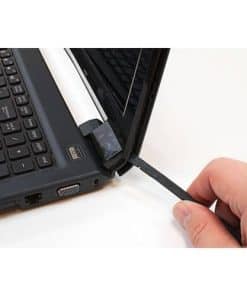
The 360-degree hinge on the X13 and X16 is the highest-stress component on the machine. Unlike a clamshell hinge that moves through 130 degrees, the Flow hinge travels 360 degrees and the screen is actively used in tablet and tent orientations where the display weight is unsupported at the midpoint. The most common failure modes are: hinge stiffness increasing to the point where the chassis flexes before the hinge moves (early sign of friction surface wear); lateral creak where one hinge barrel loosens before the other; and full hinge bracket failure where the bolt anchors pull through the chassis spine. X13 hinge repair starts from $100; X16 hinge from $120 due to heavier chassis.
Screen and Touch Panel Faults
All Flow screens are touch-enabled and bonded — the digitiser is fused to the display panel and cannot be separated without specialist heat separation equipment. Tablet-mode use exposes the screen to more contact pressure than a standard laptop, so touch dead zones and surface scratches are more common on Flow units than on Strix or Zephyrus. A crack anywhere on the bonded assembly usually requires full panel replacement. The XG Mobile port area on the left bezel is sometimes impacted when the unit is used as a tablet and set down on the edge; bezel damage here is repairable but requires full lid disassembly.
Battery Faults
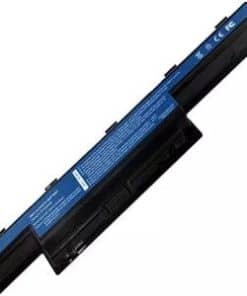
The X13 uses a 62Wh battery — smaller than most 13-inch gaming laptops, a deliberate trade-off for chassis thickness. It charges via USB-C PD as well as the barrel connector, which can mask battery degradation if the user charges primarily via USB-C at lower wattage. Swelling is less common on Flow units than heavier gaming laptops but does occur after 18–24 months of daily high-load use. On the Z13, the battery is in the tablet unit; replacement requires full tablet disassembly and careful management of the display ribbon cables.
Cooling and Thermal Faults
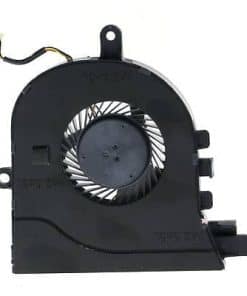
The X13 uses a single fan with two heatpipes. Dust accumulation is concentrated at the rear exhaust slot, which is narrower than on a Strix. Re-pasting alone on a thermally throttling X13 often produces a 10–15°C CPU improvement because the original thermal interface is thin and dries out faster in the compact chassis. The Z13’s single top-exhaust fan is harder to clean than a standard bottom-intake layout — the tablet must be substantially disassembled to reach the heatsink fins.
ROG Flow Repair Pricing
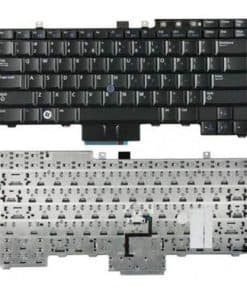
Screen/touch panel replacement starts from $180 (bonded assembly, higher than standard panels). Battery replacement starts from $80. Hinge repair starts from $100 (X13) or $120 (X16). Keyboard replacement starts from $120. Cooling service starts from $60. Bring in your unit with the model number for an accurate quote before any work begins.
🔗 Other ROG series we repair: ROG Strix · ROG Zephyrus · All ROG Laptop Repair
ROG Flow Repair – FAQ
Do you repair all ROG Flow models — X13, X16 and Z13?
Yes — we repair the full ROG Flow lineup. The Z13 is a detachable tablet and requires a different repair approach from the X13 and X16 convertibles; bring it in with the model number and we’ll assess it on the same visit.
My Flow X13 hinge feels stiff and the chassis flexes when I open it — is that a hinge failure?
That pattern — chassis flex before hinge movement — is an early sign that the hinge friction surface is wearing unevenly. It usually precedes full hinge failure by a few months. We recommend addressing it early before the bracket anchor bolts pull through the spine, which is a more expensive repair. Bring it in for a free assessment.
The touch panel on my Flow still displays correctly but touch is unresponsive in one corner — can that be fixed?
Touch dead zones on a bonded panel are usually caused by digitiser layer delamination or pressure damage. If the display itself is intact, we can assess whether the digitiser can be replaced independently or whether a full bonded assembly replacement is needed. We’ll confirm before quoting.
Can you repair the XG Mobile connector port on the X13?
Yes — the XG Mobile port is a proprietary PCIe+USB-C hybrid connector. Port damage (bent pins, broken retention tab) is repairable in most cases. We’ll assess the port condition and confirm whether it’s a connector swap or motherboard-level work.
How long does a ROG Flow hinge repair take?
Hinge repair on the X13 typically takes 2–3 hours. The X16 takes slightly longer due to the wider chassis. Z13 kickstand replacement takes 1–2 hours. We’ll give a firm estimate once we’ve assessed the unit.
Do repairs come with a warranty?
Yes — all BreakFixNow repairs carry a 90-day warranty covering parts and labour for the specific repair performed.