
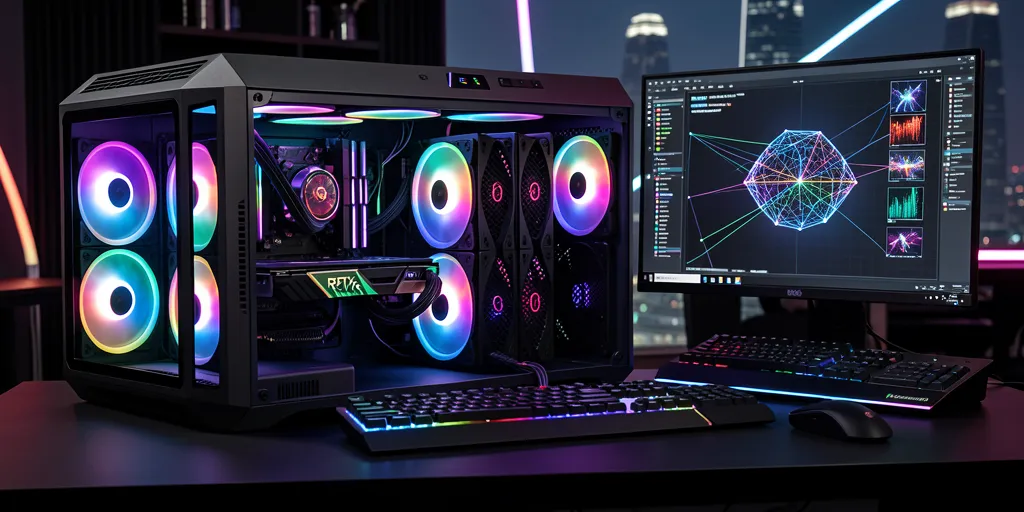

Running AI models locally in Singapore is no longer the domain of data centres and research labs. With the right hardware, you can run large language models, generate images with Stable Diffusion, fine-tune your own models, and process AI video — all from a machine sitting on your desk. But the hardware requirements for AI workloads are very different from gaming or general-purpose computing. This guide explains exactly what specs matter and why.
If you already know what you need and want a custom build, see our AI PC build service in Singapore for full details on what we offer.
Why AI Workloads Are Different From Gaming
A gaming PC is optimised for high frame rates at high resolutions — the GPU needs fast rendering, but it only needs to hold textures and frame buffers in VRAM. An AI workstation is optimised for tensor operations — the GPU needs to hold entire model weights in VRAM simultaneously. A game might run fine with 8GB VRAM. Running a 13B parameter language model at full precision requires over 26GB.
The Most Important Spec: VRAM
VRAM (Video RAM on the GPU) is the single most important spec for AI inference and training. When you run a model, the entire model needs to be loaded into VRAM. If the model doesn’t fit, it either won’t run, runs extremely slowly by offloading to system RAM, or requires aggressive quantisation that reduces quality.
| VRAM | What You Can Run |
|---|---|
| 8GB | Stable Diffusion 1.5, small image models, 7B LLMs (heavily quantised) |
| 12–16GB | SDXL, ComfyUI workflows, 7B–13B LLMs (Q4/Q5 quantised) |
| 24GB | SDXL + ControlNet, 30B LLMs (quantised), LoRA fine-tuning of 7B models |
| 48GB | 70B LLMs (quantised), full fine-tune of 7B–13B, AI video generation |
| 80GB+ | Full precision large model training, 70B+ fine-tuning |
For most users in Singapore running local LLMs or Stable Diffusion, an RTX 4090 (24GB) is the sweet spot. It handles SDXL, ComfyUI, and most quantised LLMs up to 30B parameters without compromise.
GPU: NVIDIA vs AMD for AI
For AI workloads, NVIDIA is the dominant choice — and the reason is software, not hardware. NVIDIA’s CUDA ecosystem is deeply integrated into PyTorch, TensorFlow, most Hugging Face libraries, and virtually every AI tool you’ll encounter. When a new AI library drops, CUDA support comes first. ROCm (AMD’s equivalent) often lags by months.
Bottom line: If you want maximum compatibility and the easiest setup, go NVIDIA. If you’re budget-conscious and comfortable with Linux, AMD is viable.
CPU: How Important Is It for AI?
For GPU-accelerated AI workloads, the CPU is less critical than in traditional compute — but it still matters for data preprocessing, CPU inference for large models that don’t fit in VRAM, multi-GPU coordination, and PCIe bandwidth for multiple GPU setups.
RAM: How Much Do You Need?
- 32GB — minimum for serious AI work; fine for inference-only setups
- 64GB — comfortable for most training workflows and large dataset handling
- 128GB+ — recommended for large dataset preprocessing, multi-GPU training, or running multiple models simultaneously
- 256GB–512GB — needed for CPU offloading of very large models (e.g., running 70B+ models partially on CPU RAM)
Storage: NVMe Speed Matters More Than You Think
AI training involves reading large datasets repeatedly. Slow storage creates a bottleneck where your GPU sits idle waiting for data. Use a fast PCIe Gen 4 NVMe SSD (2TB minimum) for OS and models, a large HDD array for dataset storage, and NVMe scratch space for intermediate outputs during training runs.
Cooling: Don’t Underestimate GPU Thermals
Gaming PCs run GPUs at full load for minutes at a time. AI training runs GPUs at near-100% load for hours or days. An RTX 4090 can draw 450–500W under sustained AI workloads — your PSU needs significant headroom, your case needs strong airflow, and GPU thermal throttling during training will slow your runs significantly.
Sample AI PC Specs for Different Budgets
| Budget (SGD) | GPU | CPU | RAM | Best For |
|---|---|---|---|---|
| ~$3,500 | RTX 4070 Ti (16GB) | Ryzen 9 7900X | 64GB DDR5 | Stable Diffusion, 7B–13B LLM inference |
| ~$6,500 | RTX 4090 (24GB) | Ryzen 9 7950X | 128GB DDR5 | SDXL, 30B LLM inference, LoRA fine-tuning |
| ~$14,000+ | 2× RTX 4090 | Threadripper PRO | 256GB ECC | 70B inference, LLM training, AI video |
Starting on a smaller budget? A 16GB card is enough for SDXL and 7B–13B models. Budget PC Singapore’s PC build calculator prices a full build around cards such as the RTX 4070 Ti Super or RTX 5060 Ti 16GB, in SGD with used parts and with new ones.
Should You Build or Buy Pre-built?
Pre-built AI workstations exist but are priced for enterprise budgets — often $30,000–$100,000+. For most users in Singapore, a custom-built AI PC delivers significantly better value, especially since AI workload requirements are very specific to your use case.
Get Your AI PC Built in Singapore
At BreakFixNow, we design and build custom AI workstations in Singapore for every budget and use case — from Stable Diffusion rigs to multi-GPU LLM training machines. We handle component selection, sourcing, assembly, OS installation, CUDA setup, and AI framework configuration. Everything is benchmarked and tested before handover.