
Quick answer: Errors 9, 4013 and 4014 mean the iPhone lost contact with the computer during a restore or update. The cable or USB port is the most common cause. Use an original or MFi cable straight into the computer, force restart, update iTunes or macOS, pause antivirus and VPN, then try Recovery Mode → Update, which keeps your data. If it fails on a second computer too, it’s likely a logic board or NAND fault. Updated November 2026.
Your iPhone won’t restore. iTunes shows “Error 4013” or “Error 9.” The progress bar stops halfway through the iOS update. These are some of the most frustrating iPhone errors because they stop you updating or restoring the device at all.
Below is why these errors happen, based on the restore errors we see at BreakFixNow Singapore and Apple’s documentation, with the DIY fixes to try first and when you need professional help.
What Are Errors 9, 4013, and 4014?
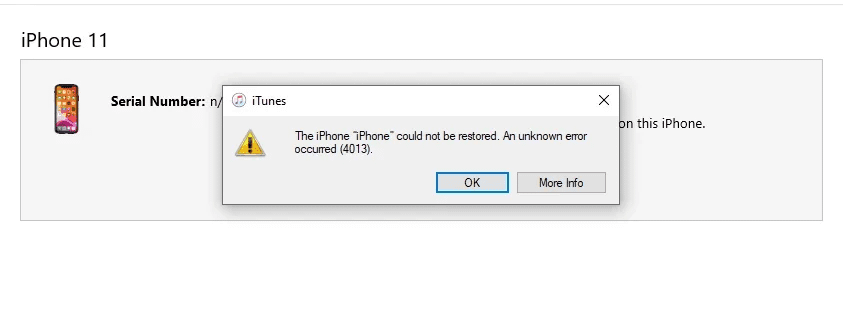
These three error codes appear during iOS updates or restores via iTunes/Finder. According to Apple Support, they show as: “The iPhone [device name] could not be restored. An unknown error occurred.”
| Error | When it appears | Usual cause |
|---|---|---|
| Error 9 | During firmware update or restore | USB connection, security software, sometimes hardware communication |
| Error 4013 | iPhone disconnects during restore | Cable/port, or logic board problems (common after water damage or drops) |
| Error 4014 | During the verification phase | Usually cable or connection, sometimes deeper hardware failure |
Why These Errors Happen
1. USB connection problems (most common)
- Faulty or non-certified Lightning or USB-C cable
- Damaged USB port on computer
- Using a USB hub instead of a direct connection
- Loose cable connections
2. Software conflicts
- Outdated iTunes/Finder version
- Third-party security software blocking iTunes
- Firewall settings preventing Apple server access
- Corrupted iOS firmware download
3. Hardware issues (least common)
- Water damage affecting internal components
- Damaged NAND flash memory
- Logic board faults after physical damage
- Battery connection problems
Step-by-Step Fixes for Error 9, 4013, 4014
Fix 1: Check Your USB Cable and Port
This is the most common cause, and the easiest fix.
- Use the original Apple cable (or a certified MFi cable)
- Inspect the cable for damage, fraying, or bent pins
- Plug directly into a computer USB port (not a keyboard/hub)
- Try different USB ports on your computer
- Clean the iPhone charging port gently with compressed air
Singapore tip: Humid weather corrodes cables faster. Replace cables every 12–18 months.
Fix 2: Force Restart Your iPhone
A force restart clears temporary software glitches without erasing data.
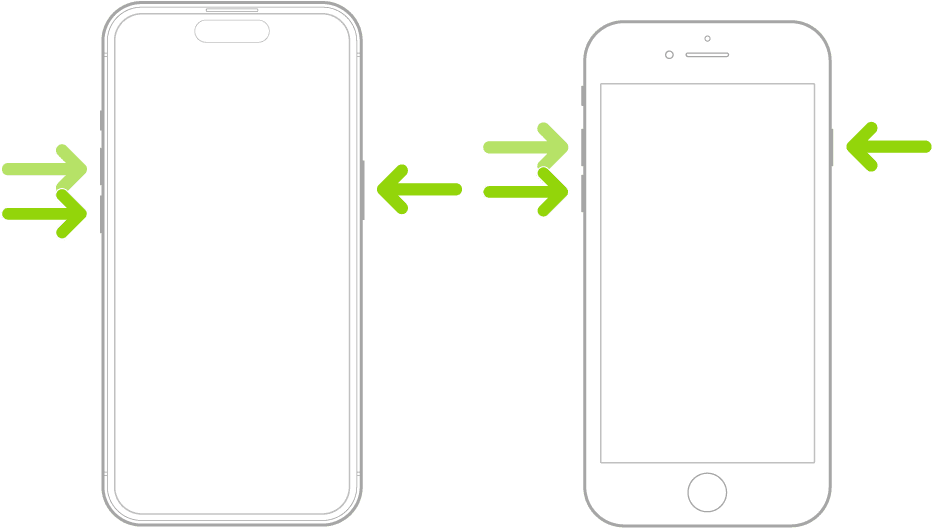
iPhone 8 and newer (including iPhone 14, 15, 16): press and quickly release Volume Up, press and quickly release Volume Down, then press and hold the Side button until the Apple logo appears.
iPhone 7/7 Plus: press and hold Volume Down + Side button for 10 seconds until the Apple logo appears.
iPhone 6s and earlier: press and hold Home + Power for 10 seconds until the Apple logo appears.
Wait for the iPhone to restart, then try restoring again.
Fix 3: Update iTunes/Finder and Your Computer
Outdated software causes compatibility issues.
On Mac (macOS Catalina or later): Apple menu → System Settings → General → Software Update, install updates and restart.
On Windows PC: open iTunes → Help → Check for Updates (or update the Apple Devices app from the Microsoft Store), install and restart.
After updating, reconnect the iPhone and try the restore again.
Fix 4: Disable Security Software Temporarily
Third-party antivirus and firewalls can block iTunes from contacting Apple servers. Temporarily pause:
- Norton, McAfee, Kaspersky or other antivirus
- Third-party firewalls
- VPN connections
- Corporate network restrictions (try a home network)
Pause protection for 15–30 minutes, try the restore immediately, and re-enable security once it finishes.
Fix 5: Use Recovery Mode (Advanced)
If a normal restore fails, Recovery Mode forces a fresh iOS installation.
- Connect the iPhone to the computer with a cable
- Open iTunes/Finder
- Force restart the iPhone but don’t release the buttons when the Apple logo appears
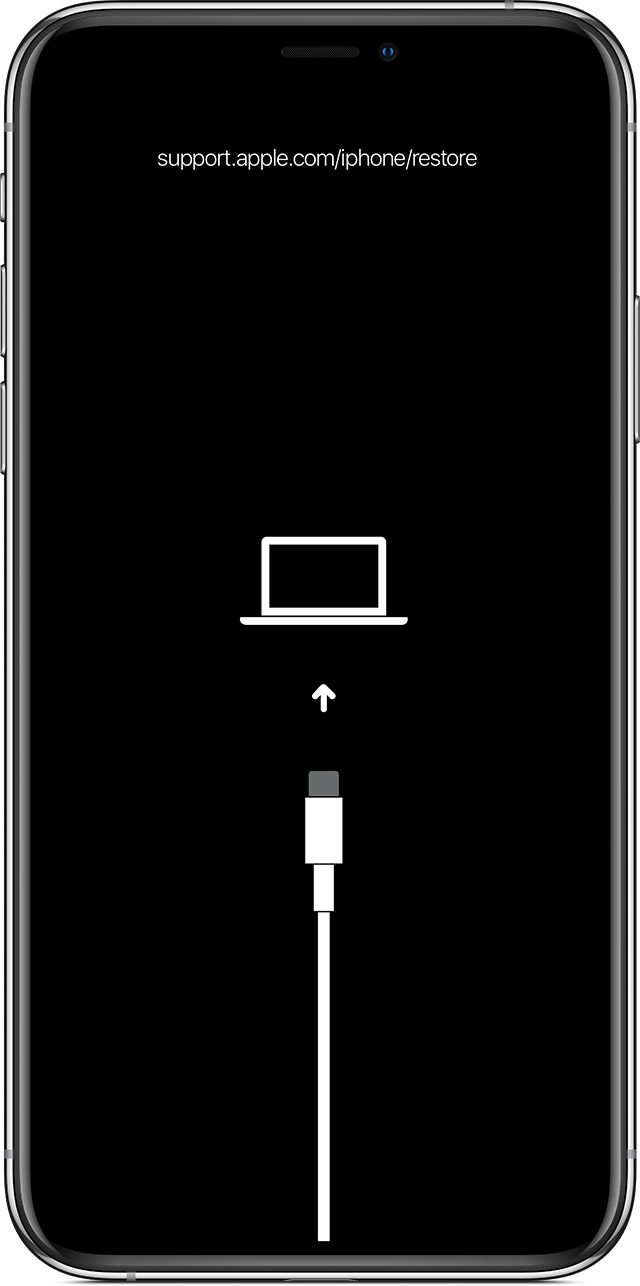
- Keep holding until the recovery screen (computer and cable) shows
- iTunes/Finder will detect the iPhone in Recovery Mode
- Click “Update” (not Restore) to preserve data
- Wait 15–30 minutes for the process to complete
⚠️ Warning: If Update fails, you’ll need to click Restore, which erases all data.
Fix 6: Try a Different Computer
Your computer might have software conflicts or a corrupted iTunes installation. Borrow a friend’s Mac or PC, book an Apple Store appointment, or bring your iPhone to BreakFixNow. If the restore works on a different computer, your original computer needs an iTunes reinstall or system repair.
Professional iPhone Error Repair in Singapore
BreakFixNow fixes the hardware faults behind iPhone restore errors.
- Free 15-minute diagnostic test
- Identify the exact component causing the error
- Quote provided before any repair
- Microsoldering if needed
- Same-day repair for most issues
| Repair | Price |
|---|---|
| Diagnostic | Free |
| Component-level repair | S$80–180 |
| NAND replacement | S$150–250 |
| Logic board repair | S$120–300 |
Warranty: 90 days on all hardware repairs.
Frequently Asked Questions
What causes iPhone Error 4013?
Error 4013 is most often caused by a faulty USB cable or port, followed by outdated iTunes/Finder software, and less often hardware damage to the logic board or NAND chip. It occurs when the computer can’t communicate with the iPhone during a restore or update.
Can I fix Error 9 myself?
Yes, in most cases. Force restart the iPhone, use an original Apple cable and a different USB port, update iTunes/macOS, disable antivirus temporarily, and try Recovery Mode. If none work, it’s likely hardware damage requiring professional repair.
How long does iPhone error repair take?
At BreakFixNow, software-related fixes can be done immediately. Hardware repairs (logic board, NAND chip) usually take 2–4 hours with same-day service. A free 15-minute diagnostic tells you whether it’s software or hardware.
Will fixing Error 4014 delete my data?
It depends on the fix. Force restart, a cable change and an iTunes update won’t delete data. Recovery Mode “Update” preserves data; “Restore” erases everything. Hardware repairs don’t affect data. Always back up before attempting any fixes.
How much does logic board repair cost in Singapore?
At BreakFixNow: component-level repair S$80–180, NAND replacement S$150–250, full logic board repair S$120–300. Includes a free diagnostic, 90-day warranty and same-day service.
Can’t fix Error 9, 4013 or 4014 yourself? Free diagnostic, same-day repair for most issues and a 90-day warranty. We also repair older and water-damaged iPhones.
Related: iPhone Error 14 fix · iPhone screen replacement · iPhone battery replacement · Water-damaged phone guide
Error 9 / 4013 / 4014
Most repairs same-day
90-day warrantyFrom S$80