
Desktop PC Upgrade Singapore
Desktop feeling slow, or out of space? We upgrade RAM, SSDs, CPUs, power supplies and cooling on gaming rigs, home PCs and office machines. Walk in to our Queen St outlet, no appointment needed.
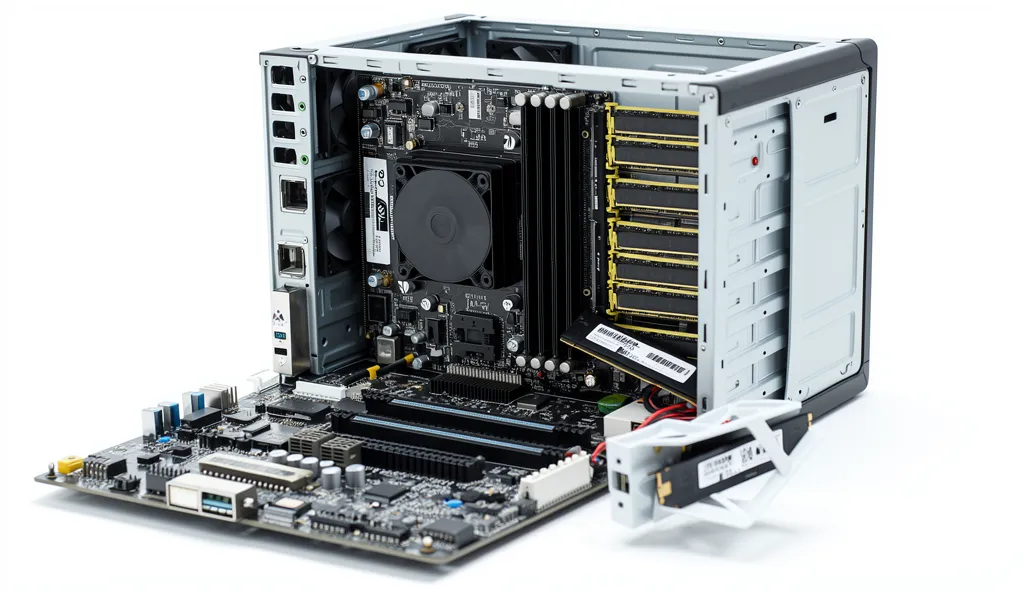
Desktop PC Upgrade Services – BreakFixNow Singapore
A slow desktop rarely needs replacing. Usually one part is holding it back, whether that is too little RAM, an old hard drive, a weak cooler or an underpowered CPU. We find which one, quote you labour and parts up front, and do most upgrades the same day.
Thinking of selling instead? See our Desktop PC Buyback page.
📍 Walk-in: 62 Queen St, CYFL 04 Little Red Dot Building, Singapore 188541 | 📞 WhatsApp: +65 9750 4333
Desktop Upgrade Cost – Singapore
These are labour prices only. Parts are quoted separately after we check your PC.
| Upgrade Type | Time | Labour (SGD) |
|---|---|---|
| Assessment on WhatsApp | Same day | Free |
| RAM Upgrade | 30–60 min | From $30 |
| SSD + Data Migration | 1–2 hrs | From $50 |
| CPU Upgrade | 1–2 hrs | From $60 |
| PSU Upgrade | 1–2 hrs | From $50 |
| CPU Cooler Upgrade | 1 hr | From $40 |
| Case Fan Upgrade | 30–60 min | From $20 |
⚠️ Labour only, parts not included. You get a full quote for labour and parts after the assessment. WhatsApp us your specs for a quicker estimate.
Common Reasons to Upgrade Your Desktop
- Slow startup and loading: a hard drive or older SATA SSD. Moving to NVMe makes the biggest difference.
- Lag with many apps open: 8GB of RAM or less. 16GB or 32GB of DDR4 or DDR5 usually fixes it.
- Low frame rates in games: the CPU holding back the graphics card, or a cooler that cannot keep it at full speed.
- Overheating: a weak stock cooler or poor airflow. If it has not been cleaned in over a year, try a clean first, as dust is often the real cause.
- Random shutdowns: an old or undersized power supply.
- Out of space or too noisy: add a second drive, or replace worn fans.
Quick Checks Before Coming In
- RAM: open Task Manager, then Performance, then Memory. If it sits above 80%, you need more.
- Drive type: CrystalDiskInfo shows whether you have a hard drive, SATA SSD or NVMe.
- CPU temperature: check with HWiNFO64 or Core Temp. Above 85°C under load means cooling is the problem.
- PSU wattage: printed on the power supply label. Under 500W with a mid-range graphics card is worth upgrading.
- Motherboard model: this decides which RAM and CPUs will fit.
Our Upgrade Process
- Free assessment on WhatsApp: send us your specs and what you want to improve, and we tell you which upgrade will help most.
- Quote: labour and parts, agreed before we start.
- Upgrade: only the work you approve.
- Testing: a stress test after every upgrade to make sure it is stable.
- Warranty: 90 days on every upgrade.
What We Upgrade
RAM
DDR3, DDR4 and DDR5 on Intel and AMD, up to 64GB and beyond. Old sticks to sell? See our RAM buyback page.
Storage (SSD)
SATA and NVMe SSDs with Windows and your files copied across, or a second drive for extra space.
CPU
Same-socket upgrades on Intel LGA 1200 and 1700, and AMD AM4 and AM5. Fresh thermal paste and a BIOS update if needed.
CPU Cooler
Aftermarket air coolers or 120mm and 240mm AIO liquid coolers. Lower temperatures, higher sustained speeds and less noise. See also our thermal paste service.
Coolers we commonly fit. Not sure which to choose? Here’s how the popular models in Singapore compare. Tower coolers of 155mm and up need a case with enough height clearance, so we measure yours and check the CPU socket before recommending one.
| Cooler | Type | Good for |
|---|---|---|
| Thermalright Assassin X 120 R SE | Single-tower air, 148mm, 4 heatpipes | Budget builds and mid-range CPUs (rated 225W) |
| Valkyrie Surge SL125 | Single-tower air, 157mm, 4 heatpipes, ARGB | Budget builds with RGB (rated 230W) |
| Thermalright Peerless Assassin 120 SE | Dual-tower air, 155mm, 6 heatpipes | Best value for most gaming CPUs (rated 265W, 25.6 dBA) |
| Valkyrie Vind SL125 | Dual-tower air, 6 heatpipes, 2 fans, ARGB | Quiet gaming builds with RGB (29 dBA) |
| Thermalright Phantom Spirit 120 EVO | Dual-tower air, 157mm, 7 heatpipes | High-wattage CPUs on air |
| Valkyrie Syn 240 / Syn 360 | 240mm or 360mm AIO liquid, 2.4″ LCD | Mid-range AIO with a display (5-year warranty) |
| Valkyrie V360 / V360 Lite | 360mm AIO liquid, LCD on the V360 | The hottest CPUs (rated 300W) |
PSU (Power Supply)
Higher-wattage or more efficient 80+ Bronze, Gold or Platinum units, with new cables routed tidily.
Will the Upgrade Fit Your Case?
A longer graphics card, a tall tower cooler or a radiator only works if the case has room for it. Before quoting, we check GPU length clearance, CPU cooler height, radiator mounts and PSU size in your case. Popular cases we see in Singapore:
- Lian Li (Taiwan): premium aluminium cases, best known for the O11 Dynamic series.
- Phanteks (Netherlands): airflow-focused designs such as the Eclipse P500A and NV series.
- Jonsbo: aluminium-alloy cases, including the popular BO400 mid-tower.
- Tecware (Singapore): budget and mid-range cases such as the VXM Evo, Forge and Nexus.
Bring the whole tower in and we’ll confirm what fits before any parts are ordered.
Case Fans
Extra or replacement 120mm and 140mm fans, with or without RGB.
Desktop PC Repair • Desktop PC Cleaning • Sell Your Desktop PC • AI PC Build Singapore • Graphics Card Repair • Thermal Paste Application • Sell Your RAM • Desktop PC Glossary
Desktop Upgrade – FAQ
Is the assessment free?
Yes. WhatsApp us your specs and what you want to improve, and we will tell you which upgrade makes sense, free of charge.
Are parts included in the price?
No. The prices above are labour only. Parts are quoted after the assessment.
How long does it take?
Most upgrades are same day. RAM and fans take 30 to 60 minutes, SSD and CPU upgrades 1 to 2 hours.
Do I need to bring the whole desktop?
Yes, bring the full tower so we can check the motherboard, RAM slots, power supply connectors and space inside the case.
Do you upgrade Dell, HP and Lenovo desktops?
Yes, including Dell OptiPlex, HP EliteDesk, Lenovo ThinkCentre and consumer models.
Is there a warranty?
Yes, 90 days on all hardware upgrades.