

Dropped your phone in water? Don’t panic—but act FAST! What you do in the next 60 seconds can mean the difference between saving your device and permanent damage. Whether it’s the toilet, pool, or Singapore’s tropical rain, here are 8 critical steps to save your water-damaged phone.

First 60 Seconds: Your Emergency Action Plan
Time is your enemy. Every second counts when your phone is wet. According to iFixit’s water damage research, the first minute determines survival rate:
Immediate Actions (Do This NOW):
- Get it out of water immediately (every second submerged = more damage)
- Power it OFF right now (don’t check if it works—just turn it off!)
- Hold it upright with charging port facing DOWN
- Remove the case and SIM tray (creates airflow openings)
- Pat dry with lint-free cloth (microfiber, not paper towel)
CRITICAL: Water + Electricity = Short Circuit = Dead Phone. Power OFF immediately to prevent electrical damage!
8 Steps to Save Your Water-Damaged Phone
Step 1: Power Down Completely
What to do:
- If screen is on: Hold power button → Slide to power off
- If screen is black: DON’T try turning it on to check
- If frozen: Force restart to shut down (varies by model)
- Unplug any cables immediately
Why this matters: Water conducts electricity. Active circuits + moisture = permanent short-circuit damage to the logic board. Powering off cuts electricity and prevents catastrophic failure.
Step 2: Remove Everything External
Remove immediately:
- Phone case: Traps moisture against phone body
- SIM card tray: Creates crucial ventilation opening
- Screen protector: If loose, water could be trapped underneath
- Any accessories: Earbuds, charging cables, etc.
Pro tip: Save the SIM card! Even if your phone dies, your contacts and data may be on the SIM.
Step 3: Dry the Exterior (The RIGHT Way)
Correct drying method:
- Use lint-free cloth (microfiber for glasses)
- Gently pat (don’t wipe) all surfaces
- Pay special attention to ports and seams
- Tilt phone to let water drain from openings
What NOT to use:
- Paper towels (leave lint particles in ports)
- Tissues (same problem)
- Toilet paper (worst offender)
- Any heat source (hairdryer, oven, sun)
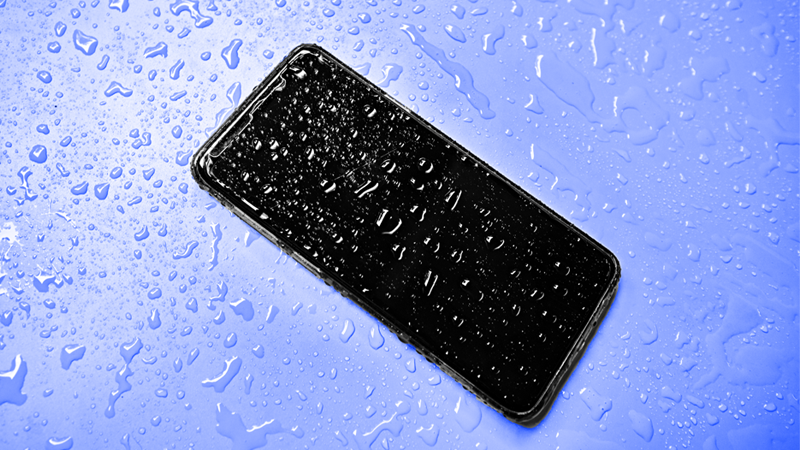
Step 4: DON’T Use Rice (Seriously!)
The rice myth is the most damaging advice on the internet. Here’s why:
Why rice DOESN’T work:
- Rice only absorbs surface moisture—it can’t reach internal components
- Rice dust and starch particles get INTO your phone
- These particles clog charging ports and cause new problems
- It gives false hope, delaying proper action
- Professional repair techs spend hours cleaning rice residue
What ACTUALLY works: Airflow and evaporation. According to Consumer Reports, proper air circulation is 10x more effective than rice.
Step 5: Promote Proper Airflow
Best drying setup:
- Place phone upright (charging port DOWN)
- Position in front of a fan (room temperature air)
- Ensure good ventilation around device
- Keep in dry, cool location
- Wait 24-48 hours minimum
Singapore-specific tip: Don’t dry in humid bathroom or outdoor balcony. Use air-conditioned room with dehumidifier if possible.
Step 6: Check Liquid Contact Indicators
Most phones have built-in water damage indicators:
Where to find them:
- iPhone: Inside SIM card slot
- Samsung: Inside SIM tray or under battery (older models)
- Most phones: Charging port area
What to look for:
- Normal: White or silver color
- Water damage: Pink or red color
- Severe damage: Deep red throughout
Important: Activated indicators may void warranty. This is why professional cleaning is crucial—not just for function, but for warranty preservation.
Step 7: Wait (Patience is Critical)
Minimum waiting time: 24-48 hours
Why you must wait:
- Water can hide in tiny spaces for days
- Turning on too early = instant short circuit
- Internal moisture isn’t visible from outside
- Humid Singapore weather slows evaporation
During the wait:
- DON’T check if it works (resist temptation!)
- DON’T plug in to charge
- DON’T press any buttons
- DO keep it in dry, ventilated area
- DO resist the urge to test it “just once”
Once dried, check battery health—water damage often degrades batteries. Consider professional iPhone battery replacement if battery health drops below 80%.
Step 8: Professional Assessment (The Smart Move)
Even if your phone turns on after 48 hours, hidden corrosion is forming inside. Here’s what happens:
The Hidden Danger:
- Water evaporates, but minerals stay behind
- These minerals cause slow corrosion (like rust)
- Corrosion spreads across circuit board
- Phone works for days/weeks, then suddenly dies
- By then, damage is often irreversible
BreakFixNow Professional Water Damage Service:
- Ultrasonic cleaning removes all mineral deposits
- Isopropyl alcohol bath neutralizes corrosion
- Component-level inspection and testing
- Replace any damaged parts
- 3-month warranty on repairs
Cost: S$48-88 for professional water damage treatment (much cheaper than new phone!)

Critical DON’Ts: Avoid These Common Mistakes
AVOID Using Heat:
- Hairdryer: Melts components, pushes water deeper
- Oven/microwave: Destroys phone completely
- Direct sunlight: Overheats battery (fire risk)
- Rice cooker: Yes, people try this—don’t!
NEVER Shake or Hit It:
- Spreads water to dry components
- Can damage delicate internal parts
- Makes recovery harder for professionals
DON’T Plug It In:
- Charging wet phone = instant short circuit
- Can cause battery fire
- Destroys logic board permanently
DON’T Turn It On “Just to Check”:
- Most common mistake people make
- One power-on attempt can kill an otherwise savable phone
- Patience saves phones—impatience kills them
Not All Water is Equal: Damage by Water Type
Fresh Water (Sink, Rain):
- Least damaging type
- Best recovery chance if acted on immediately
- Still requires professional cleaning
Chlorinated Water (Pool):
- Chlorine accelerates corrosion
- Higher urgency for professional cleaning
- Can damage waterproof seals faster
Salt Water (Sea, Beach):
- MOST DANGEROUS water type
- Causes fastest corrosion
- Rinse with fresh water immediately if possible
- Bring to professional within hours
Toilet Water (Worst Case):
- Bacterial contamination
- Requires thorough sanitization
- Professional cleaning mandatory
- Higher risk of permanent smell
Singapore Monsoon Rain:
- Usually fresh water (better than pool/sea)
- But high humidity slows drying
- Don’t rely on “water-resistant” claims in heavy rain
Water-Resistant ≠ Waterproof: Know the Difference
What “Water-Resistant” Actually Means:
- IP67: Can survive 1 meter depth for 30 minutes (fresh water only)
- IP68: Can survive deeper/longer (varies by manufacturer)
- NOT protected against: Salt water, hot water, pressurized water
Why Water-Resistant Phones Still Get Damaged:
- Seals degrade over time (6-12 months)
- Drops and impacts compromise seals
- Not tested for toilet/pool chemicals
- Singapore’s humidity accelerates seal degradation
- Warranty doesn’t cover water damage (even on IP68 phones!)
Frequently Asked Questions
How long should I wait before turning on my phone after water damage?
Minimum 24-48 hours in a dry, ventilated area. In Singapore’s humid climate, wait closer to 48 hours. But remember: even if it turns on, hidden corrosion requires professional cleaning.
Does putting my phone in rice actually work?
No. Rice is ineffective at removing internal moisture and introduces dust/starch particles that cause new problems. Use airflow instead—place phone upright in front of a fan.
Can a water-damaged phone be completely fixed?
Yes, if treated professionally within 24-48 hours. BreakFixNow uses ultrasonic cleaning and isopropyl alcohol baths to remove all corrosive minerals. Success rate is 70-85% when brought in immediately.
My phone turned on after drying—am I safe?
Not necessarily. Hidden corrosion can take days or weeks to cause failure. Professional cleaning prevents delayed failure and ensures long-term reliability. BreakFixNow offers S$48-88 water damage treatment.
Will warranty cover water damage?
Rarely. Most warranties explicitly exclude water damage, even on “water-resistant” phones. Apple, Samsung, and other brands check liquid contact indicators—if red, warranty is void.
What if my phone fell in salt water?
URGENT! Salt water causes the fastest corrosion. Rinse with fresh water (if phone is already wet), then bring to BreakFixNow immediately. Every hour delay increases permanent damage risk.
Water-Damaged Phone? Get Professional Help NOW
WhatsApp: +65 9750 4333
Emergency Service: Every minute counts!
Professional Treatment: S$48-88 (saves your phone!)
✓ Ultrasonic Cleaning • ✓ 3-Month Warranty • ✓ 70-85% Success Rate