
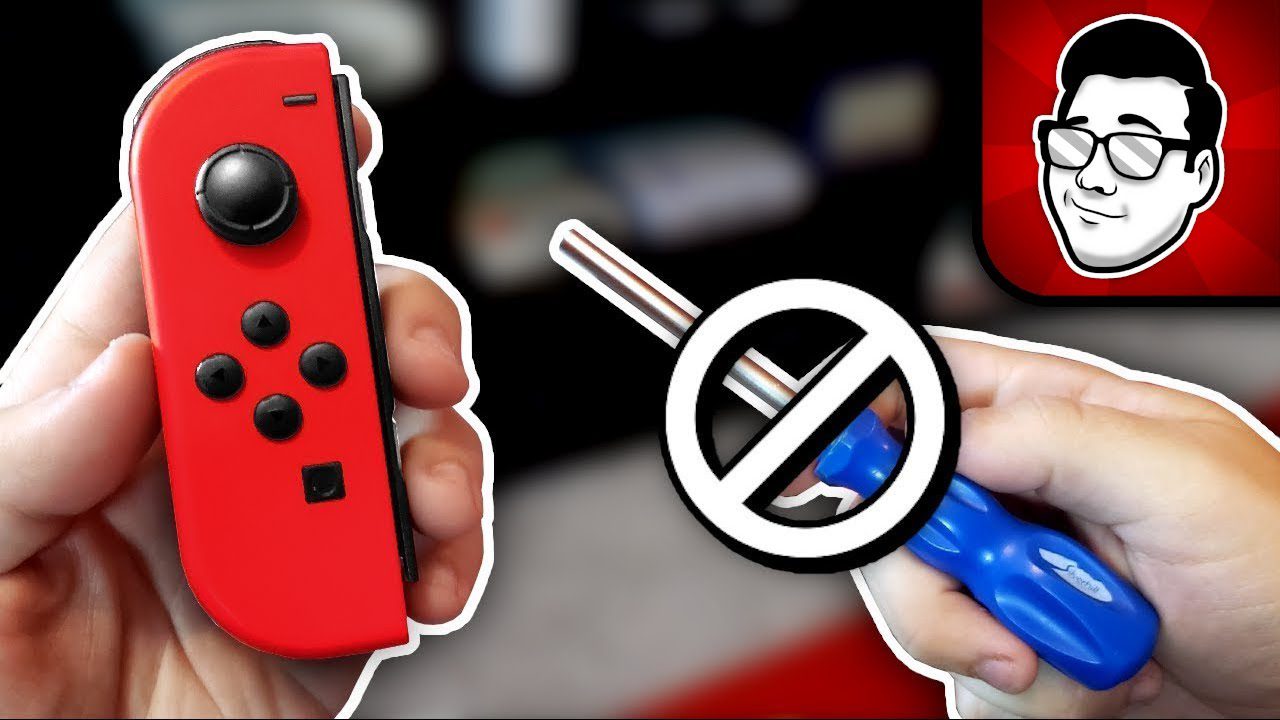
Is your Nintendo Switch character moving on its own? Joy-Con drift is the most common Switch problem, affecting millions of gamers worldwide. Your Joy-Con controller registers movement even when you’re not touching the analog stick—ruining gameplay and competitive matches. This guide shows you how to test for drift, the fixes you can try at home, and when the stick needs replacing.
What is Joy-Con Drift?
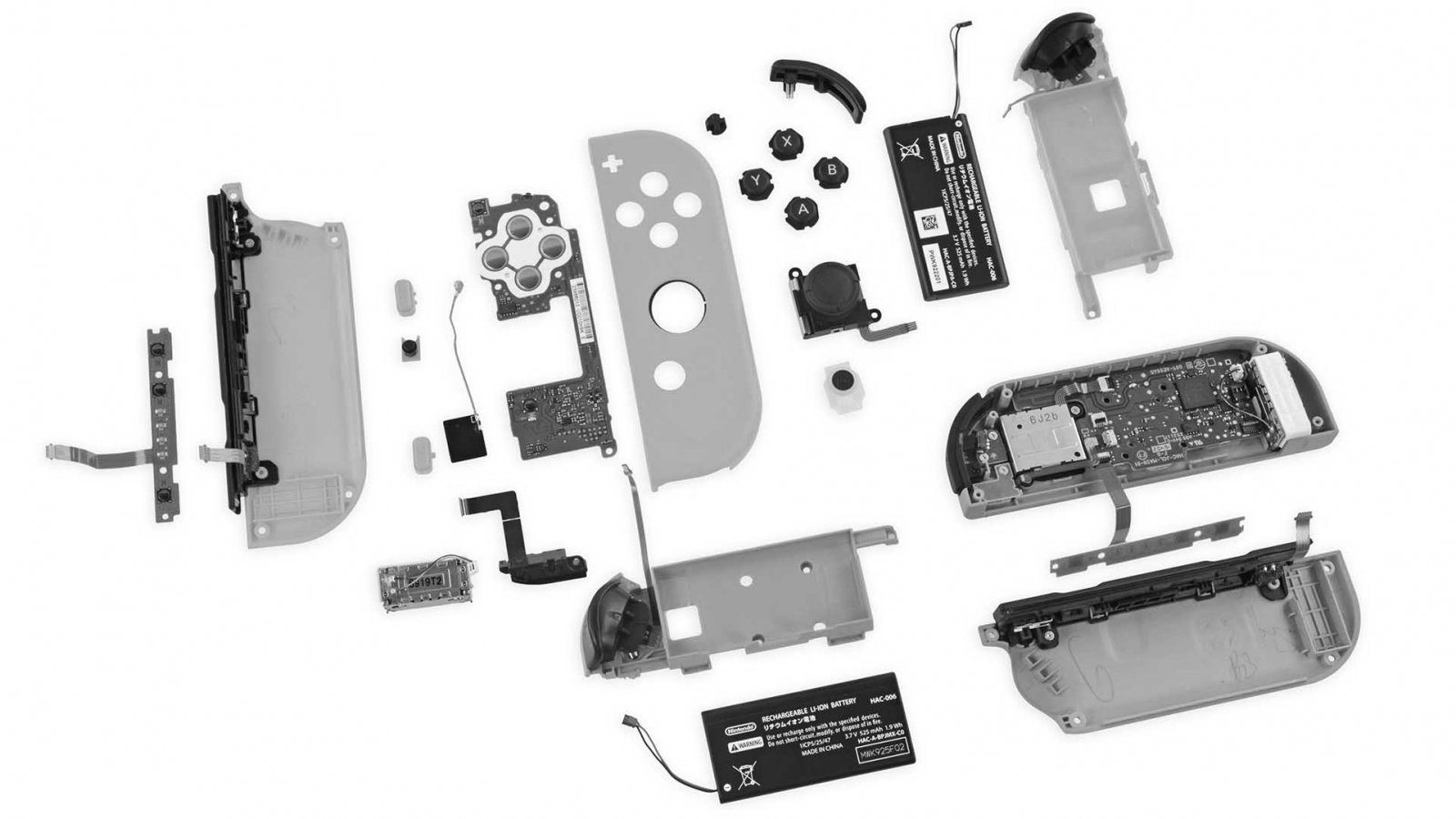
Joy-Con drift is when the analog stick registers movement without being touched: your character walks, the camera turns or menus scroll on their own. Teardowns by repair specialists have traced it to contact pads inside the stick that wear down with use, plus dust getting under the stick. For the full explanation, see what is Joy-Con drift.
Important: If your Joy-Con is less than 12 months old and has not been damaged, it is still under Nintendo’s warranty. Check with the Authorised Nintendo Service Centre first.
How to Test for Joy-Con Drift
Built-in Switch Calibration Test:
- Go to System Settings on your Switch
- Select Controllers and Sensors
- Choose Calibrate Control Sticks
- Select the affected Joy-Con
- Don’t touch the analog stick
- Watch for movement in the calibration screen
What to look for: If the crosshair moves on its own or the stick position isn’t centered (0,0), you have drift. The test will show exactly how severe the drift is.
In-Game Test: Load any game, go to a flat area, and let go of all controls. If your character moves, camera rotates, or menus scroll without input, that’s drift.
Quick Fixes to Try First (DIY Solutions)
Fix 1: Calibrate Your Joy-Con
Sometimes drift is a calibration issue, not hardware failure.
- System Settings → Controllers and Sensors
- Select “Calibrate Control Sticks”
- Follow on-screen instructions
- Rotate the analog stick fully in circles
- Press down on the stick when prompted
- Save calibration
Success rate: 10-15%. Works only for very mild drift or calibration errors.
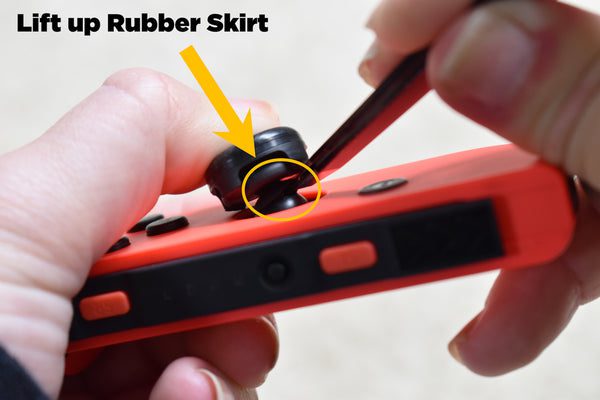
Fix 2: Clean Under the Analog Stick
Dust and debris are major drift culprits. Cleaning can temporarily fix the issue.
- Power OFF your Switch completely
- Detach the Joy-Con
- Lift the rubber flap around the analog stick
- Apply small amount of isopropyl alcohol
- Rotate the stick fully in circles 20-30 times
- Let it dry for 10 minutes
- Reattach and test
Success rate: 30-40% for temporary relief. Needs repeating every 2-4 weeks.
Fix 3: Update Your Joy-Con Firmware
- Attach Joy-Cons to Switch
- Connect to internet
- System Settings → System → System Update
- Let Switch update fully
- Joy-Con firmware updates automatically with system update
Success rate: 5-10%. Only helps if drift is software-related (rare).
Fix 4: Use Compressed Air
- Detach Joy-Con from Switch
- Hold compressed air can upright (not tilted)
- Lift rubber flap around analog stick
- Short bursts of air under the flap
- Rotate stick while blowing
- Let dry, then test
Success rate: 20-30% temporary relief.
Reality Check: DIY fixes only provide temporary relief for 70-80% of cases. The real solution is replacing the analog stick mechanism—which requires professional repair.
When the Stick Needs Replacing
For a permanent drift fix, the analog stick module has to be replaced. This is how the repair is done:
- Diagnosis: Free testing to confirm drift (10 minutes)
- Disassembly: Carefully open Joy-Con casing
- Replacement: Remove old analog stick, install new one
- Calibration: Test and calibrate the new stick
- Reassembly: Secure all components properly
- Quality check: Full functionality test before return
At BreakFixNow this costs S$30–40 per Joy-Con, takes 30–60 minutes while you wait and comes with a 90-day warranty. Prices for Switch Lite sticks, buttons, rails and Pro Controllers are on our Joy-Con and controller repair page.
Will Nintendo Repair It for Free?
Nintendo has offered free Joy-Con drift repairs in some regions, such as the US and Europe. In Singapore, Joy-Con are covered by Nintendo’s 12-month warranty through the Authorised Nintendo Service Centre (Convergent Systems, 9 Ubi Crescent). Outside warranty, ask them whether your repair is chargeable before sending it in. Details are in the warranty section of our Nintendo Switch repair page.
Should You Repair or Buy New Joy-Cons?
Verdict: Repair is more economical. A new genuine Joy-Con costs about S$70–90 and uses the same stick design, so it can drift again. Replacing just the stick costs about half that.
How to Prevent Joy-Con Drift
While drift is mostly a design flaw, these habits reduce risk:
- Clean regularly: Use isopropyl alcohol + cotton swab monthly
- Avoid eating while gaming: Food particles accelerate wear
- Don’t force the sticks: Gentle movements last longer
- Store properly: Keep Switch in case when not in use
- Reduce handheld play: Use Pro Controller for long sessions
Other Common Joy-Con Problems
Joy-Con won’t charge: usually a worn Joy-Con battery or dirty rail contacts. This is a different repair from the console battery — WhatsApp us the fault for a quote, or see Joy-Con and controller repair. If the console itself won’t charge, see Nintendo Switch Won’t Charge — 7 Fixes.
Frequently Asked Questions
Can I fix Joy-Con drift permanently?
Yes. Replacing the analog stick mechanism is the only permanent fix. DIY cleaning methods provide temporary relief, but a new stick module removes the worn part completely.
Does recalibrating fix Joy-Con drift?
Only for very mild drift or a calibration error. Recalibration resets the stick’s centre point, but it cannot repair a worn contact pad, so real drift returns.
Is it safe to clean a Joy-Con with isopropyl alcohol?
Yes, if the Switch is powered off and you use a small amount of high-percentage isopropyl alcohol under the rubber skirt, then let it dry for 10 minutes before reattaching. Avoid water and household cleaners.
Can I replace a Joy-Con stick myself?
It is possible with a replacement stick and tri-wing screwdriver, but the Joy-Con has fragile ribbon cables that tear easily. If you are not used to small electronics, a professional repair is the safer option.
Does Nintendo repair Joy-Con drift for free?
Nintendo has offered free drift repairs in some regions, such as the US and Europe. In Singapore, a Joy-Con under its 12-month warranty can go to the Authorised Nintendo Service Centre. Outside warranty, check with them whether the repair is chargeable.
Repair cost and time for Joy-Con drift: see Joy-Con and controller repair.
Fix Your Joy-Con Drift Today
WhatsApp: +65 9750 4333
Repair Time: 30-60 minutes | Same-Day Service | S$30-40 per Joy-Con
← Nintendo Switch Terms · ← Joy-Con & Controller Repair · ← Nintendo Switch Repair